
Best Time to Post on Instagram in India: Complete Guide for Better Engagement
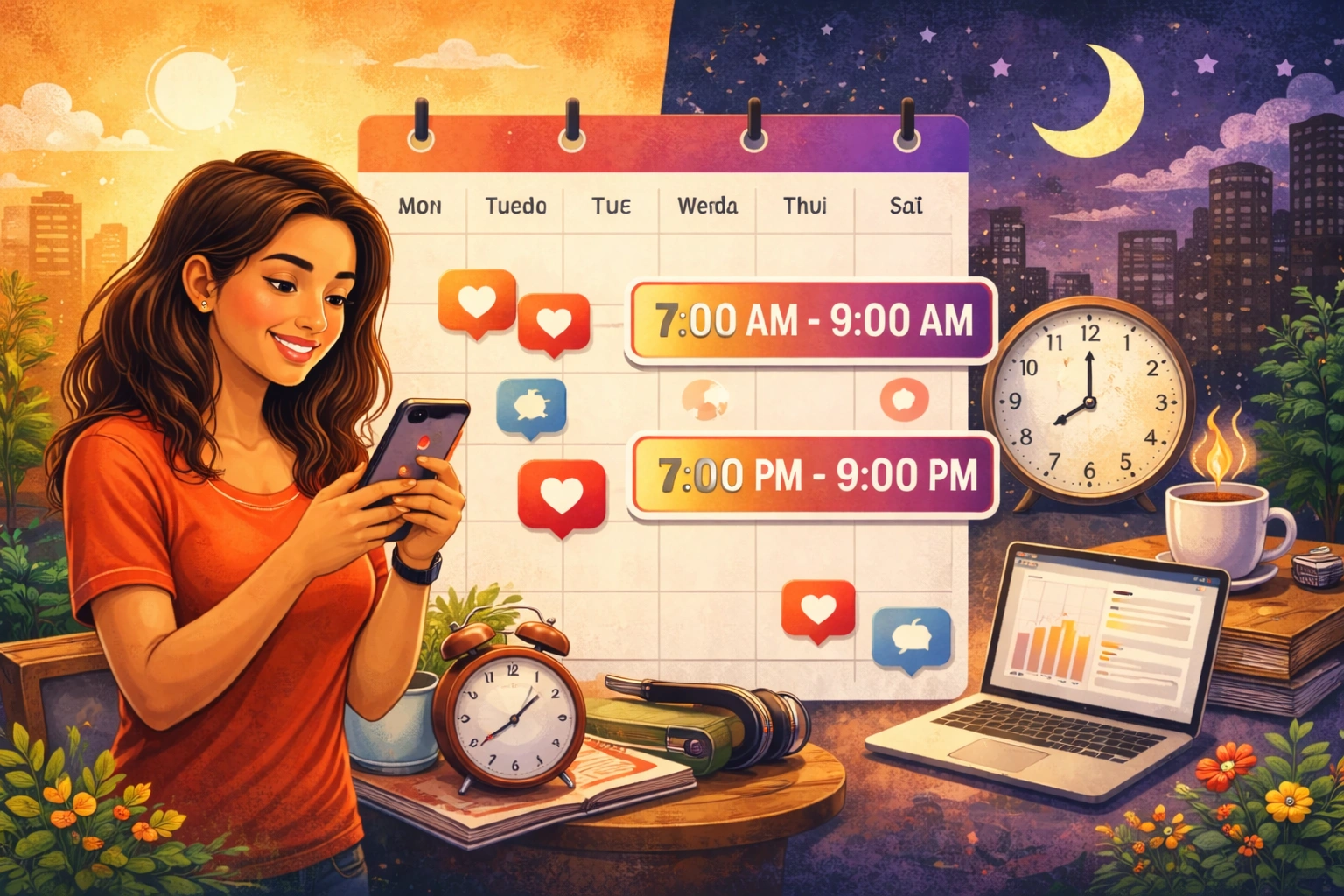
You post every day. Good photos. Good reels. Good hashtags. But your reach stays flat.
If this sounds like you, don't worry. Your content is not the only problem. You may be posting at the wrong time.
Here is why this happens. When you post, Instagram does not show it to everyone at once. It first shows the post to a small group of your followers. It watches how they react in the first 30 to 60 minutes. If they like it, save it, and comment on it, Instagram shows the post to more people. If they don't react, Instagram stops pushing the post.
So if you post when your audience is asleep, at work, or busy, that important first hour goes to waste. Even a great post can fail just because of bad timing.
This does not mean timing is magic. Bad content will not do well even at the "perfect" time. But good content, posted at the right time, can reach many more people.
In this guide, you will learn the best days and times to post in India. You will also learn the best time for Reels, Stories, carousels, and photos. We will also cover timing by industry, and how to find the exact best time for your own account using Instagram Insights.
Quick Answer: Best Time to Post on Instagram in India
Here is a simple table you can use right away.| Day | Best Time |
| Monday | 7–9 AM & 7–9 PM |
| Tuesday | 8–10 AM & 6–8 PM |
| Wednesday | 11 AM–1 PM & 7–9 PM |
| Thursday | 9–11 AM & 6–8 PM |
| Friday | 12–2 PM & 5–7 PM |
| Saturday | 10 AM–12 PM & 6–9 PM |
| Sunday | 9–11 AM & 7–9 PM |
1. Does Posting Time Really Matter?
Yes, it does. But it works best with good content, not instead of it.Here is how it works. When you post, Instagram shows it to a small test group first. This can be just 5 to 10% of your followers. Instagram watches this group closely for the first 30 to 90 minutes. It looks at:
-
Saves — people saving your post to view later
-
Shares — people sending your post to friends or sharing it on their story
-
Comments — especially longer, real comments
-
Watch time — how long people watch your Reels, and if they watch again
-
Profile visits — people clicking on your profile after seeing the post
We have managed many Instagram accounts. We often see the same post get 2 to 3 times more reach just by changing the posting time. Nothing else changes: same photo, same caption. Just the time is different. This shows how big an effect timing can have.
2. How the Instagram Algorithm Works in 2026
Instagram does not use one single rule for everything. Feed, Reels, Stories, and Explore each work a bit differently. But a few things matter across all of them.Watch time. For videos, how long people watch matters a lot. If people watch your Reel fully, or watch it more than once, Instagram sees this as strong content.
Saves and shares. These matter more than likes. A like takes one second. A save or share means the person found real value in your post.
What happens after your post. If someone watches your post and then closes the app, or sends you a DM, Instagram sees this as a strong, positive sign.
Your relationship with the viewer. Does this person usually watch your Stories? Do they comment often? People who engage with you often will see your posts first.
Fresh and timely content. Instagram likes content that feels current. A Reel using a trending audio early does better than the same Reel posted weeks later.
Regular posting. Accounts that post often (not necessarily every day) tend to get steady reach. Accounts that disappear for weeks and post in bursts often see lower reach.
Good timing helps almost all of these. When you post at the right time, people react faster. Faster reactions mean Instagram pushes your post to more people, sooner.
3. Best Time to Post Day by Day
Here is a more detailed table. It shows the best time, a good backup time, and times to avoid.| Day | Best Time | Good Time | Avoid |
| Monday | 7–9 AM, 7–9 PM | 1–2 PM | 11 PM–5 AM |
| Tuesday | 8–10 AM, 6–8 PM | 2–3 PM | 12 AM–6 AM |
| Wednesday | 11 AM–1 PM, 7–9 PM | 9–10 AM | 1 AM–6 AM |
| Thursday | 9–11 AM, 6–8 PM | 3–4 PM | 12 AM–6 AM |
| Friday | 12–2 PM, 5–7 PM | 9–10 AM | After 8 PM |
| Saturday | 10 AM–12 PM, 6–9 PM | 3–4 PM | Before 8 AM |
| Sunday | 9–11 AM, 7–9 PM | 2–3 PM | After 10 PM |
Tuesday and Wednesday: These are usually the best weekdays. People have settled into their week, and there is less distraction.
Thursday: Similar to Tuesday and Wednesday, but with a small dip in the afternoon as people start thinking about the weekend.
Friday: Evening posts often do worse on Friday. Many people go out. Late morning and lunchtime work better instead.
Saturday: People wake up late, so early morning does not work. Late morning and evening are both strong.
Sunday: Morning is good for slow, relaxed scrolling. Late evening is also strong as people get ready for the new week.
Best Time to Post Reels
Reels work a little differently. Instagram pushes Reels through Explore to new people, not just your followers. This means timing matters a little less for total reach, but it still helps you build fast early momentum.Morning (7–10 AM): People watch Reels during their commute on the metro, in an auto, or during breakfast. Sound is often off, so use clear text on screen.
Afternoon (1–3 PM): Lunch break scrolling. Attention is short, so keep Reels between 15 and 20 seconds.
Evening (6–9 PM): This is usually the strongest time. People are done with work and relaxed. Sound is usually on, so trending audio and voiceovers work well.
Weekend afternoons: Saturday and Sunday afternoons (12–4 PM) do better than weekday afternoons. People have more free time to scroll.
From our own experience, Reels posted between 7 and 9 PM on weekdays get saves and shares faster than the same Reel posted mid-morning. In the evening, people scroll in a calmer, more relaxed way.
Best Time to Post Stories
Stories work differently. People check them out of habit, in short bursts through the day.Morning (8–10 AM): Many people check Stories first thing in the morning, even before checking their main feed.
Lunch break (1–2 PM): A smaller, second wave. Good time for polls and quick behind-the-scenes content.
Evening (6–8 PM): A strong window, as people relax and catch up on the day.
Late night (9–11 PM): Surprisingly good for Stories, even though it is a weak time for regular posts. Many people do one last scroll before bed.
Since Stories disappear after 24 hours, try posting 3 to 4 Stories through the day. This keeps you visible in more than one viewing window, instead of just one.
Best Time for Carousel Posts
Carousels (multi-photo posts) need more time from your viewer than a single photo or short Reel. So they do best when people are not in a rush.The best times are late morning (11 AM–1 PM) on weekdays and evening (7–9 PM) any day of the week. Saturday late morning (10 AM–12 PM) also works well, since people have time to swipe through many slides.
Avoid posting carousels during the early morning rush (7–9 AM). This is a fast-scroll time. People often skip multi-slide posts instead of swiping through them.
Best Time for Photo Posts
A single photo is quick to view, so it can perform well at many times of day. But the best windows are still morning (8–10 AM) and evening (6–8 PM).Fashion, food, and travel photos get an extra boost on weekend mornings and Sunday evenings. This is when people are relaxed and enjoy simple browsing.
Best Time to Post by Industry
Your audience's daily routine changes based on your industry. Here is a simple guide for different niches.Education
Best days: Tuesday, Wednesday, Sunday.Best times: 5–7 PM, 8–10 PM.
Why: Students are usually free after school or college, and before bedtime.
Digital Marketing
Best days: Monday, Wednesday, Thursday.Best times: 9–11 AM, 6–8 PM.
Why: This audience is mostly working professionals. They check content during breaks and after work.
Restaurants
Best days: Thursday, Friday, Saturday.Best times: 12–1 PM, 6–8 PM.
Why: People decide where to eat around lunchtime and while planning their evening.
Fitness
Best days: Monday, Wednesday, Sunday.Best times: 6–8 AM, 7–9 PM.
Why: These times match typical gym and workout hours.
Healthcare
Best days: Tuesday, Thursday.Best times: 10 AM–12 PM, 7–8 PM.
Why: Late morning suits a calmer audience. Evenings catch working people researching health topics.
Real Estate
Best days: Saturday, Sunday.Best times: 10 AM–1 PM.
Why: Buying property is often a family decision. Weekends give people time to think it through.
Local Businesses
Best days: Friday, SaturdayBest times: 11 AM–1 PM, 5–7 PM
Why: These times match weekend planning and local shopping decisions.
Fashion
Best days: Wednesday, Friday, Sunday.Best times: 12–2 PM, 7–9 PM.
Why: Lunch break browsing plus relaxed evening scrolling.
Beauty
Best days: Tuesday, Thursday, Sunday.Best times: 10 AM–12 PM, 7–9 PM.
Why: Similar to fashion. People enjoy watching tutorials in the evening.
Travel
Best days: Friday, Saturday, Sunday.Best times: 11 AM–1 PM, 8–10 PM.
Why: People plan trips and look at travel content during weekend free time.
Finance
Best days: Monday, Wednesday.Best times: 9–11 AM, 7–9 PM.
Why: People check finance content before starting work or while reviewing money matters at night.
Coaching
Best days: Tuesday, Thursday, Sunday.Best times: 7–9 AM, 7–9 PM.
Why: Motivational content works best early in the day or during evening reflection.
Personal Brand
Best days: Monday, Wednesday, Friday.Best times: 8–10 AM, 6–8 PM.
Why: These calm, low-distraction times help personal content connect better.
Influencers
Best days: Wednesday, Friday, Saturday.Best times: 12–2 PM, 7–10 PM.
Why:A mixed audience needs both lunchtime and evening posting windows.
Ecommerce
Best days: Thursday, Friday, Sunday.Best times: 1–3 PM, 7–9 PM.
Why: People browse and shop before the weekend, and again on Sunday evening.
Best Time by Audience Type
Your audience's daily routine matters as much as their industry. Here is a simple table.| Audience | Best Times | Why |
| Students | 12–2 PM, 8–11 PM | Free during lunch and after homework/classes |
| Office workers | 9–10 AM, 1–2 PM, 7–9 PM | Quick checks before work, at lunch, and after work |
| Mothers | 10 AM–12 PM, 9–10 PM | Free after morning chores and after kids sleep |
| Working professionals | 8–9 AM, 6–8 PM | During commute and after work |
| Business owners | 7–8 AM, 9–10 PM | Early check-in, and a late check before bed |
| College students | 11 AM–1 PM, 9 PM–12 AM | Between classes, and late-night scrolling |
| Creators | 10 AM–12 PM, 6–8 PM | Checking industry trends during work hours |
| Gamers | 9 PM–12 AM | Peak gaming time is late at night |
Worst Times to Post
Knowing when not to post is just as useful.Late night (1 AM–5 AM): Almost everyone is asleep. Your post loses the important first hour before people even wake up.
Office hours (10 AM–5 PM) on weekdays: Many people are working and not checking their phone much, unless your audience uses their phone at work.
During big events: Big cricket matches, major news, or festivals often pull attention away from Instagram. Avoid posting during a major India cricket match, for example.
Rush-hour driving: If your audience drives to work, that time is dead time, not scroll time. This can change by city, which is why testing your own data matters.
Engagement drops at these times simply because fewer real people are looking at their feed. Even a great post gets shown to a smaller group, and that group reacts slowly.
How to Find Your Own Best Posting Time
General times are a good start. But your real best time depends on your own audience. Here is how to find it.Step 1: Switch to a Professional Account. If you use a personal account, change it to a Creator or Business account. This gives you access to Instagram Insights.
Step 2: Open your Professional Dashboard. Go to your profile, tap the menu, and open "Insights" or "Professional Dashboard."
Step 3: Check the Audience section. Look for the part that shows when your followers are most active, by hour and by day. This is Instagram telling you exactly when your audience is online.
Step 4: Use Meta Business Suite. This tool gives a clearer, weekly view of your audience trends. It also suggests good posting times based on your past data.
Step 5: Test for 30 days. Choose 3 or 4 time slots, based on your Insights data and this guide. Post at these times for a full month, and keep a simple note of what time each post went up.
Step 6: Track the right numbers. For each post, check reach, saves, shares, comments, and profile visits. Do not focus only on likes. Likes are the weakest signal in 2026.
Step 7: Compare results. After 30 days, look at which time slots did well across many posts, not just one lucky post.
Step 8: Check again every month. Audience habits change with seasons, exams, and festivals. Review your Insights every 4 to 6 weeks, not just once.
Example: How Timing Changed One Account's Results
Note: This is an example to help explain the idea. It is not from one real client, but the numbers reflect what we commonly see when timing is fixed.Think of a small home bakery account in Pune with about 4,000 followers, mostly local customers. For months, the owner posted whenever she was free, often between 2 and 4 PM, right after baking.
Her reach stayed around 600 to 900 per post. Saves were low, usually under 5.
She checked her Instagram Insights. It showed her followers were most active between 7 and 9 AM, and again between 7 and 9 PM.
She moved her Reels and photos to 8 AM, and her carousel posts (menu updates, prices) to 7:30 PM. Within three weeks:
-
Her average reach went from about 750 to about 2,100 per post, almost 3 times more
-
Her saves went from about 4 to about 22 per post, since evening viewers had more time to think and save the post
-
Her profile visits went up too, which led to more DM orders
Common Mistakes to Avoid
Posting randomly, without checking Insights. This is the biggest mistake. Do not treat any chart, even this one, as a fixed rule. Use it as a starting point, and test it against your own data.Ignoring Instagram Insights. Many accounts have this data ready to use, but never check it.
Posting once and giving up on a time slot. One post is not enough proof. Look for patterns across many posts over several weeks.
Deleting posts too early. Some posts, especially Reels, grow slowly. Wait at least 48 to 72 hours before deciding a post did badly.
Ignoring your audience's real habits and location. A Delhi office worker and a Kerala homemaker do not behave the same way, even though both are Indian.
Following old charts. Instagram habits change often. A chart from 2021 will not be accurate in 2026.
Not engaging after posting. Publishing and walking away wastes your best chance. Reply to comments quickly in the first hour to help your post grow.
Weak captions and hooks. Good timing cannot save a boring Reel or a caption that gives no reason to stop scrolling.
Instagram Growth Tips Beyond Timing
Timing helps people see your post. These tips help them remember you and follow you.Content quality comes first. No amount of good timing can fix blurry photos or shaky video.
Be consistent, not perfect. Posting 3 to 4 times a week for months beats posting daily for two weeks, then stopping.
Strong hooks in the first few seconds. If your Reel does not grab attention fast, people scroll away, and watch time drops.
Use Instagram SEO. Add your main keyword naturally in your caption and on-screen text. Instagram now searches this text too, not just hashtags.
Use fewer, better hashtags. Around 5 to 10 relevant hashtags often work better than 30 random ones.
Add location tags. This helps local businesses get found by nearby people through search and Explore.
Use trending audio early. Using a sound while it is still rising in popularity gives your Reel an extra boost.
Write captions that invite comments. A real question at the end gets more comments than a plain "thoughts?"
Add a clear call to action. Tell people exactly what to do: save this, share with a friend, comment your city.
Reply to comments fast. Especially in the first hour. This keeps your post active and signals real engagement.
Ask for saves and shares directly. A simple line like "save this for later" really does increase saves.
Cross-promote your content. Share your posts to your Story, mention old Reels in new captions, and keep good Stories saved in Highlights.
Monthly Posting Checklist
-
Check last month's Instagram Insights (audience activity, top posts, weak posts)
-
Find your top 3 best posting times from last month
-
Plan your content calendar: Reels, Stories, carousels, and photos
-
Schedule at least 3 to 4 posts every week
-
Try one new time slot outside your usual routine
-
Track reach, saves, shares, comments, and profile visits every week
-
Reply to comments within the first hour of each post
-
Update your hashtags based on what is working now
-
Check trending audio in your niche weekly
-
Update your Highlights with your best recent Stories
-
Compare this month's average reach with last month's
Tools That Help You Post Smarter
Instagram Insights (built-in): Your best source of truth. Shows when your audience is active, and how each post performed. It is free with a Professional account.Meta Business Suite: Lets you schedule posts for Instagram and Facebook together. Also gives a clear weekly view of your audience trends.
Buffer: A simple scheduling tool. Good if you manage one or two accounts and want an easy start.
Later: Great for planning your feed's look along with your schedule. Good for visual planning.
Metricool: Gives deeper analytics. Useful once you manage more than one account.
Hootsuite: Good if you manage Instagram along with other platforms in one place.
No tool finds your best time automatically with full accuracy. They only show the data faster. You still need to check that data yourself every few weeks.
Frequently Asked Questions About Instagram Posting Time
Does posting time really matter on Instagram?Yes. It affects how fast your post gets early engagement, which affects how far it spreads. It will not fix bad content, but it helps good content reach more people.
What is the best time to post on Instagram in India?
Generally, 7–9 AM and 6–9 PM on weekdays work well. This can change slightly by day. Check your own Insights to be sure.
What is the best time to post Reels in India?
Evenings, around 6–9 PM, work best. Mornings (7–10 AM) and weekend afternoons are also good.
What is the best time to post Stories?
Morning (8–10 AM), lunch (1–2 PM), and evening (6–8 PM) all work well.
What is the best day to post on Instagram?
Tuesday and Wednesday are usually the strongest days, but this can change by niche.
Is weekend or weekday better?
It depends on your niche. Lifestyle, travel, and food content often does well on weekends. Professional and education content often does better on weekdays.
Does Instagram Insights really show the best time to post?
Yes. Under the Audience section of your Professional Dashboard, Instagram shows when your followers are most active, by hour and day.
What is the best time to post for working professionals?
Early morning (8–9 AM) before work, and evening (6–8 PM) after work.
Does timing matter more for Reels or photos?
It matters for both. Reels are a bit more forgiving, since Explore can push them for longer. Photos rely more on the first hour of follower reaction.
What is the worst time to post?
Late night (1–5 AM), since most people are asleep during the important early hours.
Do festivals change the best posting time?
Yes. App usage changes during festivals. Check your Insights separately during these times, instead of assuming your usual schedule will work.
What time should ecommerce brands post for more sales?
Early afternoon (1–3 PM) and evening (7–9 PM) work well, especially closer to weekends.
Final Thoughts
The best posting time for Instagram in India really depends on your specific audience, the type of content you create, and your niche. But if you're just starting or don't have much data yet, stick to mornings (6–9 AM) and evenings (7–10 PM). These work for most people; use Instagram Insights and find what is best for you.Remember, timing is just one piece of the puzzle. You also need good content, consistency, proper hashtags, and engaging captions. Combine all of these, and you'll see much better results on Instagram.
The key is to keep experimenting, checking your analytics, and adjusting your strategy. What works for one account may not work for another. So test different times, see what works for you, and stick to that. If you are a small business, promote your brand, work as an influencer, or just want to grow your Instagram account, you can join an online digital marketing course where you can learn about all the tools and other platforms as well.