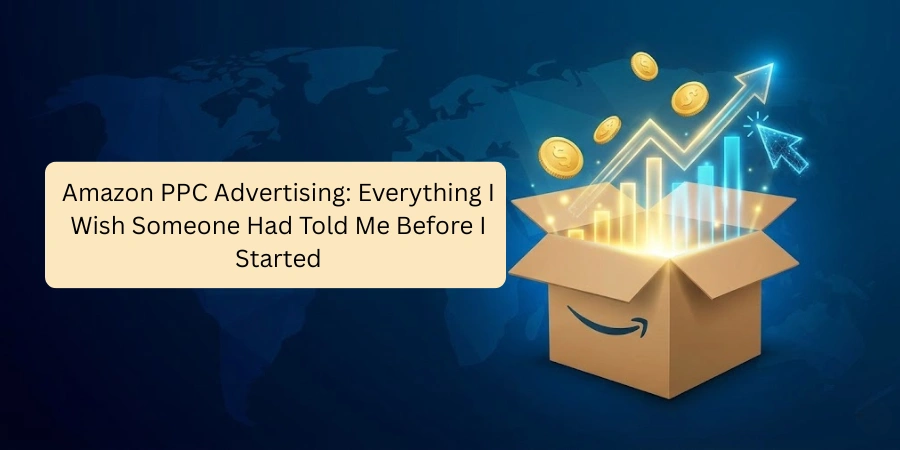
Amazon PPC Advertising: Everything I Wish Someone Had Told Me Before I Started
I still remember the first campaign I ever ran on Amazon. I set it up, felt pretty good about myself, and then watched my ad budget disappear over the next few days with almost nothing to show for it. No sales. Just spend. I had no idea what went wrong.
That was a long time and many, many campaigns ago. Since then, I've run ads across dozens of product categories, managed budgets from a few hundred rupees a day to several lakhs a month, and made just about every mistake you can make. Some were expensive lessons. Most of them were avoidable.
This guide is everything I know, written as simply as I can. If you're just starting with Amazon PPC, or you've tried it and felt lost, I want this to be the resource I didn't have when I began.
So What Actually Is Amazon PPC?
PPC stands for Pay-Per-Click. The name tells you exactly how it works: you only pay when someone actually clicks on your ad. Not when they see it. Not when they scroll past it. Only when they click.When a customer searches for something on Amazon, like "wireless earbuds", a mix of results appears. Some of those results are organic (they've earned their spot through sales history, reviews, and relevance). Others are paid. Those paid ones are Amazon PPC ads, and they're labelled "Sponsored" in small text.
Your ad can appear at the very top of search results, in the middle, on competitor product pages, or even off Amazon entirely. Where it shows up depends on your bid, your relevance to the search term, and how well your listing is set up.
The core idea is simple: you pay for visibility, and that visibility brings sales, and those sales build your organic ranking over time. Done right, PPC is a machine that feeds itself.
Why PPC Is Not Optional Anymore
I hear new sellers say this sometimes: "I'll start PPC once my listing is more established." I understand the instinct, but it's backwards.Amazon is incredibly competitive. In most product categories, the top few positions in search get the overwhelming majority of clicks. If you're not on that first page in the top few results, you might as well not exist for most customers.
Organic ranking takes time to build. It requires sales, reviews, and history, all things a new product doesn't have. PPC is how you manufacture that early. You pay for visibility, you get sales, those sales signal to Amazon that your product is worth ranking, and gradually your organic position moves to the top.
I've seen products go from page eight to page one in under six weeks using a well-managed PPC strategy. I've also seen sellers wait "until the time is right" and struggle for months without gaining traction.
The time to start is earlier than you think.
The Three Types of Amazon Ads (And When to Use Each)
Not all Amazon ads are the same. There are three main types, and knowing when to use each one matters.Sponsored Products
This is where everyone should begin. Sponsored Products promote individual listings and appear directly in search results and on product pages. They look almost identical to organic results, with just a small "Sponsored" label.If you're new, start here. Sponsored Products give you the most direct, measurable connection between your ad spend and your sales. You can see exactly which keywords are driving clicks, which ones are converting, and which ones are draining your budget with nothing to show for it.
Sponsored Brands
Once you have a few products and a registered brand on Amazon, Sponsored Brands become worth exploring. These show your brand logo, a custom headline, and up to three of your products at the top of search results. They're excellent for building brand awareness and driving traffic to your Amazon storefront.I wouldn't prioritise these in your first few months. Get your Sponsored Products dialled in first.
Sponsored Display Ads
These are the most advanced of the three. Sponsored Display lets you target people who have already viewed your product, but didn't buy, a strategy called retargeting. These ads follow potential customers around both on Amazon and on external websites.I've found these most useful for higher-priced products where customers take longer to make a decision, and for defensive strategies where you don't want competitors stealing your potential customers after they've viewed your listing. Leave these until you're comfortable with the first two types.
The Auction System: How Amazon Decides Who Gets Shown
Amazon PPC runs on an auction. Every time a customer searches for something, an instant auction takes place behind the scenes. Sellers who have bid on that keyword compete, and the winner gets the ad placement.But here's what most beginners don't realise: it's not purely about who bids the highest. Amazon also factors in relevance. If your product has nothing to do with what the customer searched for, a high bid won't save you. Amazon cares about customer experience, so it won't show irrelevant ads just because someone is willing to pay for them.
This matters in practice because it means a well-optimised listing with a reasonable bid can outperform a poorly optimised listing with a high bid. The better your listing title, images, description, and reviews, the more efficiently your ads will run.

The Numbers You Need to Understand
When you're inside Amazon Seller Central looking at your campaign data, you'll see a lot of metrics. These are the ones that actually matter:CPC (Cost Per Click): The amount you pay each time someone clicks your ad. This is determined by the auction; you won't always pay your full bid amount.
CTR (Click-Through Rate): The percentage of people who saw your ad and actually clicked it. A very low CTR often means your main image or title isn't compelling enough.
ACOS (Advertising Cost of Sales): This one is critical. It's your total ad spend divided by the revenue those ads generated, expressed as a percentage. If you spent ₹1,000 on ads and made ₹5,000 in sales from those ads, your ACOS is 20%.
ROAS (Return on Ad Spend): The flip side of ACOS. Revenue divided by ad spend. ₹5,000 revenue from ₹1,000 spend is a ROAS of 5x.
Impressions: How many times your ad was shown. Lots of impressions but few clicks suggest a targeting or listing problem.
The number I watch most obsessively is ACOS. Your target ACOS should sit comfortably below your profit margin. If you're making 40% margin on a product, an ACOS of 25% means you're profitable on ad-driven sales. If your ACOS is above your margin, you're losing money on every ad-driven sale, which is sometimes acceptable early on to build ranking, but never something to ignore.

How to Actually Set Up Your First Campaign
Let me walk you through this practically rather than just theoretically.Start with an Automatic campaign. When you choose automatic targeting, Amazon decides which search terms to show your ad for based on your listing content. You don't choose the keywords Amazon does. This sounds lazy, but there's a very specific reason to start here.
Automatic campaigns are the best way to collect real data about what customers are actually searching for when they find (or stumble upon) your product. Run it for two to three weeks with a modest budget somewhere around ₹500 to ₹1,000 per day, depending on what you can afford. Don't touch it during that time. Just let it run and gather data.
After two to three weeks, go into your Search Term Report. This will show you every search term that triggered your ad and how those terms performed clicks, spend, orders, and ACOS. Some terms will have generated sales. Some will have burned the budget with nothing to show. This data is gold.
Now, create a Manual campaign. Take the keywords that actually converted in your automatic campaign and build a manual campaign around them. In a manual campaign, you choose the exact keywords, you set specific bids for each one, and you have full control.
This is the real work of PPC. The automatic campaign is your research tool. The manual campaign is where you actually optimise and scale.

Keyword Match Types
When you add keywords to a manual campaign, Amazon asks you to choose a match type. This is genuinely confusing at first, but it's important to understand.Broad Match shows your ad when someone searches for your keyword in any order, with extra words before, after, or in between. If your keyword is "running shoes," a broad match might show your ad for "shoes for running on trails" or "best running shoes for men." You reach a wide audience but with less control.
Phrase Match shows your ad when someone's search contains your exact keyword phrase, in the same order, but can have words before or after it. "Running shoes" as a phrase match could show for "cheap running shoes" or "running shoes for women", but not "shoes running."
Exact Match shows your ad only when someone searches for exactly your keyword, nothing more. "Running shoes" exact match shows only for "running shoes." Tight control, but lower reach.
My personal approach: use broad match when exploring and finding new converting terms, phrase match for mid-level control, and exact match for your best-performing keywords where you want to bid aggressively and protect your spend. Most campaigns end up with all three working together.
Negative Keywords
If I had to pick one thing that beginners consistently ignore that costs them the most money, it's negative keywords.A negative keyword is a search term you tell Amazon you do not want to show your ad for. If you're selling premium leather wallets and someone searches "cheap wallets," you probably don't want that click. Add "cheap" as a negative keyword, and Amazon won't show your ad for searches containing that word.
Every week, go through your Search Term Report and look for terms that are getting clicks but zero sales. Ask yourself honestly: Is this person looking for what I sell? If the answer is no, add it as a negative keyword.
The Optimisation Routine I Actually Use
Good PPC management is not a set-it-and-forget-it activity. Here's the routine I follow, simplified for anyone starting.Every week, spend thirty minutes reviewing your campaigns. Check which keywords are spending without converting and pause them or lower the bids. Check which keywords are converting well and increase bids slightly to capture more impressions. Review your Search Term Report and add negatives for anything irrelevant.
Every month, look at the bigger picture. Is your overall ACOS trending in the right direction? Are there new keywords you should be testing? Are there product pages you should be targeting with Sponsored Display ads?
The sellers who do well with Amazon PPC are not necessarily the ones who build the most clever campaigns upfront. They're the ones who stay consistent with optimisation week after week, month after month.
Automatic vs Manual: The Simple Way to Think About It
People make this more complicated than it needs to be.Automatic campaigns are for discovering what works. You let Amazon find the search terms, you collect the data, and you learn what customers are actually typing when they're looking for products like yours.
Manual campaigns are for scaling what works. Once you know which keywords convert, you take control, bid aggressively on the good ones, cut the bad ones, and grow with intention.
Use both. They serve different purposes and work better together than either does alone.
PPC vs Organic: Why You Need Both
Some sellers treat PPC and organic ranking as alternatives, like you either invest in ads or you invest in SEO. That's a mistake.PPC drives immediate visibility and sales. Those sales feed your organic ranking, which over time means your product starts appearing higher in search results naturally, without you paying for every click. As your organic ranking improves, your ads can become more efficient because you're generating more sales from free placements, too.
The goal is to use PPC aggressively early to build that organic momentum, then gradually shift to a maintenance mode where you're spending less on ads but still ranking well organically. I've had products where I barely touch the PPC budget anymore because the organic ranking is strong enough, but it was heavy PPC investment early on that got them there.
Mistakes I've Watched Sellers Make (Including Myself)
Running ads without checking them. I've seen sellers launch campaigns and not log back in for a month. By then, they've burned budget on irrelevant terms, missed opportunities to increase bids on winners, and have no idea what's actually happening.Choosing keywords by instinct rather than research. What you think customers are searching for and what they're actually searching for are often different. Let data guide your keyword decisions, not assumptions.
Ignoring ACOS until it's a problem. By the time your ACOS has ballooned to 80%, you've already wasted a lot of money. Watch it from day one.
Expecting instant results. PPC takes time to optimise. The first two weeks of a campaign are mostly data collection. Don't make dramatic changes before you have enough information to act on.
Not reinvesting when things are working. When a keyword is converting well, and your ACOS is healthy, that's not the time to play it safe. Increase the bid, capture more of that traffic, and grow. The temptation to preserve the budget is real but often wrong.
Final Thoughts
Amazon PPC is not magic. It won't rescue a bad product or fix a weak listing. But when the fundamentals are right, a good product, a strong listing, and a clear understanding of your margins, it is one of the most powerful tools available to grow a business on Amazon.The sellers who win with PPC are not the ones with the biggest budgets. They're the ones who stay consistent, pay attention to the data, keep optimising, and don't give up after a rough first week.
Start small. Learn the basics. Fix what isn't working. Double down on what is. And keep going.
It took me a lot of failed campaigns to get to a point where I could run ads confidently and profitably. You don't have to go through all of that the hard way. Start with what you've learned here, stay patient, and treat every rupee of ad spend as a learning opportunity.
The results will come.
If you want to gain in-depth knowledge, we also offer a Digital Marketing Course in Chandigarh, where you learn in-demand skills with practical training.