
Learn Google Ads by Running a ₹500 Campaign (Beginner's Step-by-Step Guide)
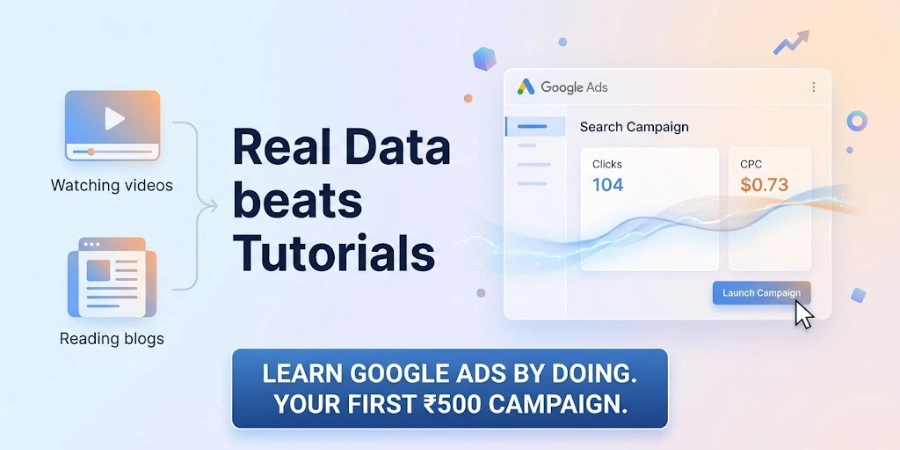
Yes, ₹500 is enough to learn how Google Ads actually works. No, it is not enough to prove that your business will be profitable on the platform. Those are two different questions, and confusing them is the first mistake most beginners make before they've even opened an account.
A ₹500 campaign, run properly, can show you how keyword match types behave in the real world, what people actually type into Google before they click your ad, roughly what a click costs in your category, and whether your landing page holds up under real traffic. It cannot tell you your true cost per lead; that number needs more volume and time than ₹500 can buy. This guide walks through the full experiment: setting up the campaign, choosing keywords and match types, writing one ad that does its job, reading the data once it arrives, and deciding what to do next.
Can You Really Learn Google Ads With ₹500?
Short answer: yes, if your goal is to understand the mechanics, not to generate a fixed number of leads.₹500 buys you a handful of clicks anywhere from a few to a few dozen, depending on your industry and location. That's not enough traffic to draw statistical conclusions about conversion rates. But it is enough to watch a live auction happen, see which search terms actually trigger your ads, and get a feel for how Google interprets your keywords versus how you intended them.
The reason CPC (cost per click) varies so much between businesses isn't randomness; it's competition. A keyword in legal services or insurance can cost several hundred rupees per click because many advertisers are bidding for the same searcher. A keyword for a local tuition centre might cost a fraction of that. This is exactly why beginners should treat ₹500 as a controlled learning experiment with a fixed, small stake, rather than a business decision.
| What ₹500 Can Teach You | What ₹500 Cannot Guarantee |
| How campaign structure, keywords and match types interact | A reliable cost-per-lead figure |
| Which search terms are actually triggering your ads | Enough data to judge profitability |
| Roughly what CPC looks like in your category | That your business model works on Google Ads |
| Whether your ad and landing page match search intent | A statistically stable conversion rate |
| Whether your tracking is set up correctly | Guaranteed leads or sales |
What You'll Learn From a ₹500 Google Ads Experiment
By the end of the experiment, you should be comfortable with campaign setup, keyword selection, match types, negative keywords, ad writing, location targeting, and reading a handful of core metrics: CPC, CTR, search terms, and conversions. You won't master bidding strategy or audience layering in one round; that comes with repetition. The point of this first campaign is to stop treating these terms as theory and start seeing how they behave when real money and real searchers are involved.Before You Spend Your First ₹500
Choose One Clear Goal
Traffic, leads, and sales are not interchangeable goals, and Google Ads will optimise differently depending on which one you set. For a pure learning experiment, a traffic-and-clicks mindset is fine; it lets you focus on understanding Search campaign mechanics without the pressure of hitting a conversion number. If this is a real business account, though, the campaign should be built around the action that actually matters to you: a call, a form fill, a purchase, not clicks for their own sake.Choose a Specific Audience
"Everyone who might be interested" is not an audience; it's a way to burn through ₹500 in an afternoon. A beginner course seller, a local clinic, and a B2B software company all need different keywords, different locations, and different ad copy. The narrower and more specific your audience definition, the more useful your ₹500 worth of data will be.Choose a Relevant Landing Page
Sending every click to your homepage is one of the quieter ways a small budget gets wasted. If someone searches for "digital marketing course fees," they want fees and course details, not a generic "Welcome to our website" page. A landing page that matches the search intent of your keywords will almost always outperform a general one, even at this budget.Set Up Conversion Tracking
Set up tracking a form submission, a call click, or a WhatsApp click before you launch, not after you've already spent the ₹500. Without it, you're judging the campaign on clicks and impressions alone, which tells you very little about whether it actually worked.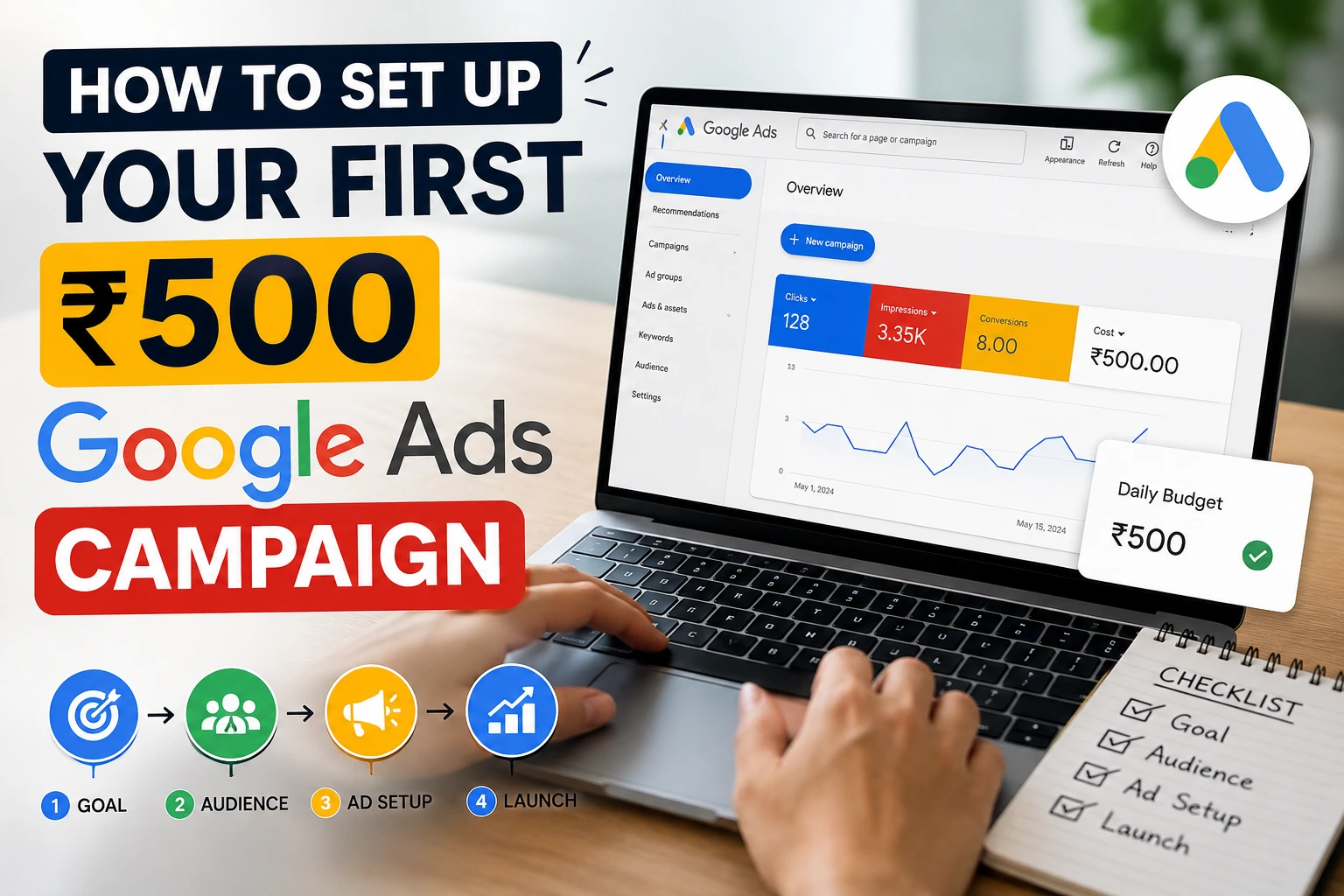
How to Set Up Your First ₹500 Google Ads Campaign
Step 1 — Create or Open Your Google Ads Account
If you don't already have one, create a Google Ads account using a Google account you'll keep long-term; you'll want the historical data later. If you're setting this up for a business, use a business email rather than a personal one, since account ownership and billing access matter more than beginners usually expect.Step 2 — Choose the Right Campaign Type
For a first campaign, Search is usually the most useful format to learn from, because it's built around intent: someone is actively typing what they want into Google. That makes it easier to connect keywords, ad copy, and results in a way that makes sense to a beginner. This doesn't mean Search is always the best campaign type for every business; Display, Shopping, and Performance Max all serve different purposes. But for understanding how keywords, match types, and auctions work, Search gives you the clearest feedback loop.Step 3 — Set Your Budget
A simple way to structure ₹500 is ₹100 per day for 5 days. This gives Google's auction system a few days to gather signals rather than spending everything in one burst. Keep in mind that Google Ads' delivery isn't perfectly rigid to a daily figure; actual daily spend can vary somewhat above or below your set amount depending on the platform's delivery system, so don't expect the numbers to land exactly on ₹100 every single day.Step 4 — Choose Your Location
Location targeting is where a lot of small budgets quietly disappear. If you're advertising a local digital marketing course based in Mohali, targeting the entire country will spread your ₹500 across searchers who will never walk into your office or enrol online from another state. Local intent (a specific city), regional intent (a state or a cluster of nearby cities), and national intent (all of India) all behave differently in the auction, and they should match what your business can actually serve, not what sounds ambitious.Step 5 — Research Your Keywords
Open Keyword Planner and think in terms of relevance and intent before volume. A keyword can have decent search volume and still be useless to you if the person searching it isn't looking to buy or enquire. Look at estimated search volume, the competition indicator, and the CPC range Google shows, but treat all three as estimates, not promises. It's a common assumption that "low competition" keywords in Keyword Planner always cost less to run in practice; the competition metric reflects how many advertisers are bidding on that term, not what you'll actually pay once your ad enters a live auction against your Quality Score, ad relevance, and the specific searcher's context.Step 6 — Choose Keyword Match Types
-
Broad match shows your ad for searches Google considers related to your keyword, even if the wording is quite different. It gets you volume, but also less control.
-
Phrase match shows your ad when the search includes your phrase's meaning, in roughly that order a middle ground.
-
Exact match shows your ad only for searches that closely match your exact keyword's meaning the tightest control, usually the smallest volume.
Step 7 — Add Negative Keywords
Negative keywords stop your ad from showing on searches you don't want to pay for. If you're selling a paid course, a starting list might include terms like free, jobs, salary, PDF, tutorial free, and certification free because someone searching for a free tutorial or a job listing isn't a buyer for a paid programme. This list isn't universal, though; it only makes sense once you've thought through what your specific campaign is trying to attract and exclude.Step 8 — Write Your Search Ad
A good ad matches the keyword, states a real benefit, and points to one clear action, and it should say something your landing page can actually back up. For example, if your keyword is "digital marketing course Mohali," a headline like "Digital Marketing Course in Mohali" paired with a description mentioning hands-on Google Ads and SEO training and a "Book a Free Consultation" call-to-action keeps the keyword, the promise, and the landing page consistent with each other.Step 9 — Review and Launch
Before you launch, check: budget is set correctly, location matches your actual service area, keywords and match types are chosen deliberately, negative keywords are added, conversion tracking is live, and your ad's promise matches what the landing page delivers. Then launch and leave it alone for at least a day or two before touching anything.What to Monitor After Launch
Impressions
How often your ad was shown. Low impressions usually point to targeting, bids, or keyword demand, not ad quality.Clicks
How many people acted on the impression. This is your first signal that the ad copy is at least somewhat relevant to the search.CTR
Click-through rate is clicks divided by impressions. A low CTR can suggest weak ad relevance or a mismatch with the searcher's intent, but there's no single "good" CTR number that applies across every industry and keyword type. A branded search term and a broad informational term will naturally behave very differently.Average CPC
What you're actually paying per click, on average. It's shaped by competition, your Quality Score, your bid, and the specific auction each searcher creates, which is why it can shift day to day even with the same keywords.Search Terms
This is arguably the most useful report for a beginner. It shows the actual words people typed before your ad appeared, not just the keyword you chose. Reviewing this is how you discover both new keyword ideas and new negative keywords you hadn't thought of.Conversions
If your goal is leads or sales, conversions matter more than clicks. A campaign with modest clicks but real conversions is doing its job; a campaign with plenty of clicks and zero conversions has a problem somewhere in the chain even if the click numbers look encouraging on their own.How to Diagnose a Weak Google Ads Campaign
| What You See | Possible Problem | What to Check |
| High impressions, low CTR | Ad relevance or messaging may not match the search | Ad headlines, keyword-to-ad alignment |
| Clicks but no conversions | Landing page, offer, intent mismatch, or tracking issue | Landing page relevance, tracking setup, offer clarity |
| Very low impressions | Targeting too narrow, low keyword demand, or bids/budget too low | Location settings, keyword volume, bid strategy |
| Irrelevant search queries | Keyword targeting too broad or missing negative keywords | Search Terms report, negative keyword list |
What Happens After Spending ₹500?
Once your budget is spent, look at the full picture rather than any single metric. Here's an example results table, not real Digital Study School campaign data, to show the kind of numbers a small test campaign might produce and how to read them.Example Results (illustrative only)
| Metric | Example Value |
| Spend | ₹500 |
| Impressions | 850 |
| Clicks | 22 |
| CTR | 2.6% |
| Average CPC | ₹22.7 |
| Conversions | 2 |
| Cost per conversion | ₹250 |
What ₹500 Can Teach You About Google Ads?
A small campaign, read carefully, can reveal:-
Which search queries are actually triggering your ads
-
Whether your targeting is broader than it should be
-
How expensive clicks genuinely are in your category
-
Whether your ad attracts the right kind of visitor
-
Whether your landing page matches what people were searching for
-
Whether your conversion tracking is firing correctly
-
Which negative keywords you're missing
-
Where your budget is quietly going
7 Mistakes Beginners Make When Running Google Ads
-
Targeting too broadly: casting the net over an entire country or a vague audience dilutes a small budget across people who were never going to convert.
-
Using irrelevant keywords: chasing high search volume instead of relevance leads to clicks from people who wanted something else entirely.
-
Ignoring negative keywords: without them, your budget partly funds searches you never wanted to pay for.
-
Changing campaigns too frequently: pausing keywords or rewriting ads every few hours doesn't give Google's system enough signal to settle into a stable pattern.
-
Sending traffic to a poor landing page: a great ad pointing at a generic homepage often wastes the click it worked to earn.
-
Not tracking conversions: without tracking, you're left guessing whether the campaign actually worked.
-
Judging performance from too little data: drawing firm conclusions from a handful of clicks is one of the fastest ways to make the wrong decision.
Is ₹500 Enough for a Real Business Google Ads Campaign?
For learning the platform: yes. For proving that a business can run Google Ads profitably: usually not on its own.The budget a real business actually needs depends on CPC in that category, location, competition, the site's conversion rate, and critically how much a customer is worth once acquired. A business where one customer is worth ₹50,000 can justify a much higher cost per lead than one where a customer is worth ₹500. There's no single rupee figure that applies across industries; anyone offering one is guessing.
What Should You Do After Your First ₹500?
If the traffic is irrelevant: go back to the Search Terms report, tighten your match types, and expand your negative keyword list before spending more.If CTR is weak: rework the ad copy first; check whether the headline actually reflects what the keyword promises.
If clicks happen but conversions don't: look at the landing page, the offer, and your tracking setup, in that order, before blaming the keywords.
If relevant traffic is converting: this is the point where gradually increasing budget makes sense while keeping an eye on whether cost per conversion holds steady as spend grows, not just whether conversions keep coming.
The goal isn't to memorise a rule like "always increase budget after week one." It's to build the habit of looking at what the data is actually telling you before deciding what to change.
Frequently Asked Questions
Can I learn Google Ads with ₹500?
Yes, for understanding campaign setup, keywords, match types, and how to read basic metrics, ₹500 is a reasonable starting budget.Is ₹500 enough to run Google Ads?
It's enough to run a small test campaign, but not enough to reliably prove profitability for most businesses.How much money do I need to start Google Ads?
There's no fixed number; it depends on your industry's CPC, your conversion rate, and what a customer is worth to your business.How long does it take to learn Google Ads?
Basic setup and terminology can be learned in a few days; comfortably reading data and optimising campaigns usually takes a few real campaigns over several weeks.Which Google Ads campaign is best for beginners?
Search campaigns are generally easiest to learn from because they're built around search intent, though the "best" type ultimately depends on the business goal.How many keywords should I use in a beginner Google Ads campaign?
A small, tightly relevant set of 5 to 15 keywords is easier to manage and learn from than a large, loosely related list.Are negative keywords important in Google Ads?
Yes. They prevent your budget from being spent on searches that were never going to convert for your specific offer.How do I know if my Google Ads campaign is working?
Look beyond clicks to conversions relative to your goal, and be cautious about drawing conclusions from a very small amount of data.Final Takeaway
Watching tutorials will only take your understanding of Google Ads so far. A small, controlled campaign even one built on a ₹500 budget forces you to make real decisions about keywords, match types, targeting, and ad copy, and then shows you how those decisions actually play out in front of real searchers. That feedback loop is difficult to replicate any other way.Just remember what this kind of experiment is, and what it isn't. It's a way to learn the platform's mechanics quickly and cheaply. It is not a universal profitability benchmark, and a single small test shouldn't be used to decide whether Google Ads works for your business long-term.
If you are interested and want to learn in depth, our Digital Marketing Course in Chandigarh offer practical training in social media marketing, SEO, paid ads, automation, and email marketing, all with 30+ AI tools.