
How to Create a Social Media Content Calendar That Actually Works

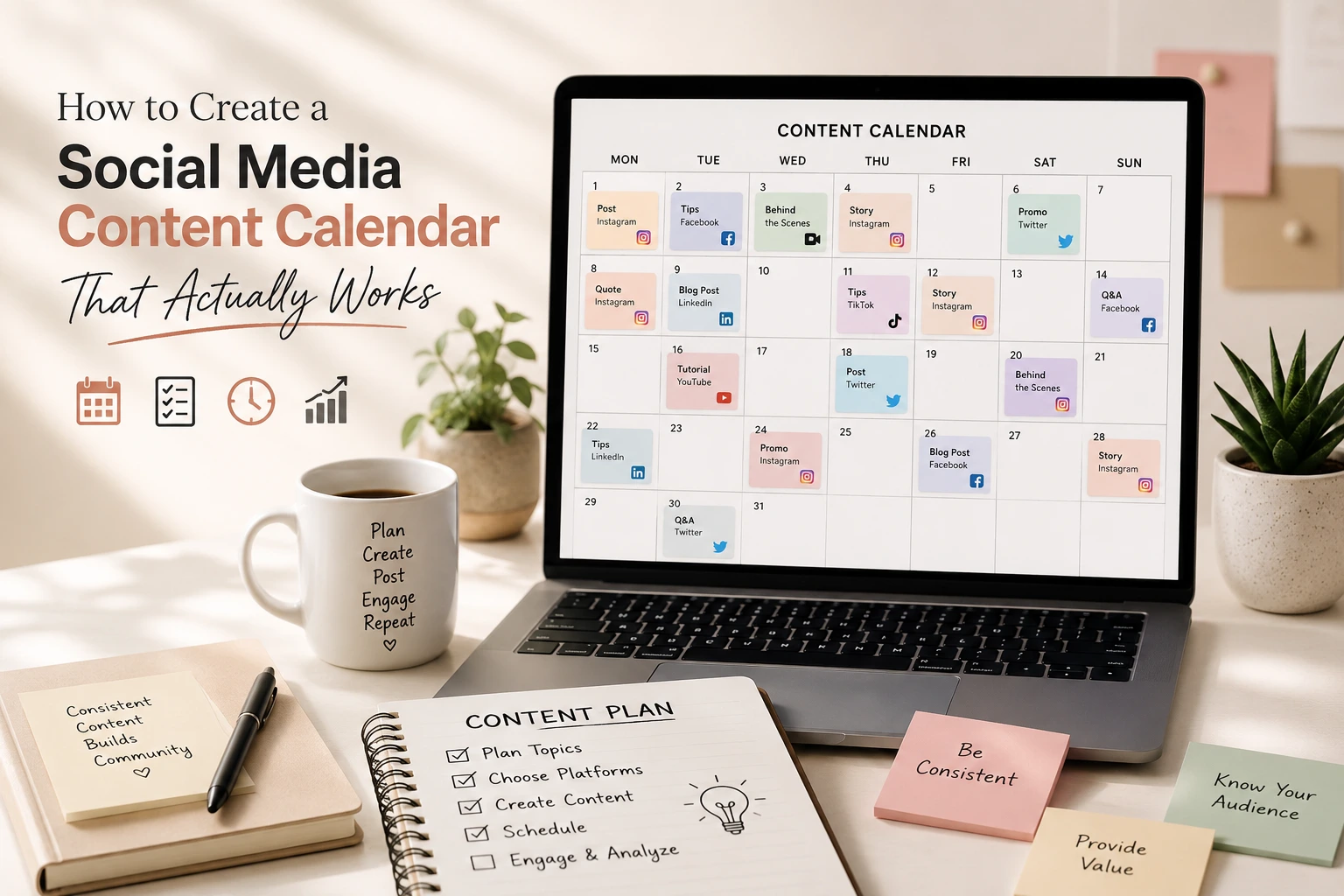
Most small businesses do not fail at social media because they lack creativity. They fail because they never built a system. A content calendar looks like simple dates, platforms, and captions, but without a strategy behind it, it turns into a guessing game: someone scrambles to think of something to post on Tuesday and repeats the cycle the following week.
A calendar that actually works is not a scheduling tool. It is a decision-making system connecting what your business wants to achieve with what your audience needs to see, and a repeatable process for producing, publishing, and improving content. This article walks through that system: how to plan it, build it, fill it with ideas that do not run dry, and measure whether it is helping your business.
What Is a Social Media Content Calendar?
A social media content calendar is a planning document that maps out what content your business will publish, on which platform, for what purpose, and when. At a basic level, it includes the date, platform, topic, format, and often the caption or call to action.It helps to separate four terms that get used interchangeably. A social media strategy defines why you are on social media at all, your goals, audience, and the role each platform plays. A content plan translates that strategy into themes and topics. A content calendar schedules those themes into specific dates, platforms, and formats. A posting schedule is simply the cadence of how often you publish, regardless of what.
Most businesses skip straight to the posting schedule, decide they need to post four times a week, and scramble to fill the slots. A calendar built this way rarely survives a month, because nothing underneath it holds the content together.
Why a Social Media Content Calendar Matters for Small Businesses
A working calendar solves several problems at once. It creates consistency without last-minute decisions, since content is planned in batches instead of invented under pressure. It protects time, moving daily decisions into one planning session instead of spreading them across the week. It keeps content strategic rather than reactive, since each post ties back to a goal. It improves collaboration, so a designer, editor, or owner reviewing content understands what is coming and why. And it makes measurement possible; without a record of what was published and when, you cannot connect content to results with confidence.Consider a salon in Mohali that previously posted whenever the owner remembered, usually a photo after a slow afternoon with no particular plan. After introducing a simple weekly calendar built around three content pillars, the salon could plan a transformation post, an educational tip, and a client review each week instead of posting only when inspiration struck. The goal was not to post more; it was for each post to build enough trust that a follower picks up the phone or messages on WhatsApp to book an appointment.
What to Define Before Creating Your Content Calendar
Before opening a spreadsheet, five things need to be clear. Business goal: what is the calendar actually supposed to achieve more enquiries, sales, sign-ups, or awareness in a new city? Target audience: who is this content for, specifically, since a restaurant chasing weekend diners in Chandigarh needs different content than one chasing weekday corporate lunches. Customer problems: what hesitations stop people from buying or booking? Content built around real problems tends to outperform content built around what the business wants to say about itself. Platforms: where does the audience actually spend time, and what can the business realistically maintain well? Fewer platforms managed properly beats many managed poorly. Available resources: how much time, budget, and creative capacity exists each week, since a calendar assuming unlimited capacity will not survive a busy month.If you have not worked through these decisions yet, it is worth doing so before building a calendar. Our guide to creating a social media marketing strategy for a small business covers this groundwork in more detail.
Once these five elements are clear, every calendar entry has somewhere to plug into. This is the backbone worth keeping in mind through the rest of this article: goal, audience, pillars, ideas, format, calendar, publish, measure, improve.
How to Create Social Media Content Pillars
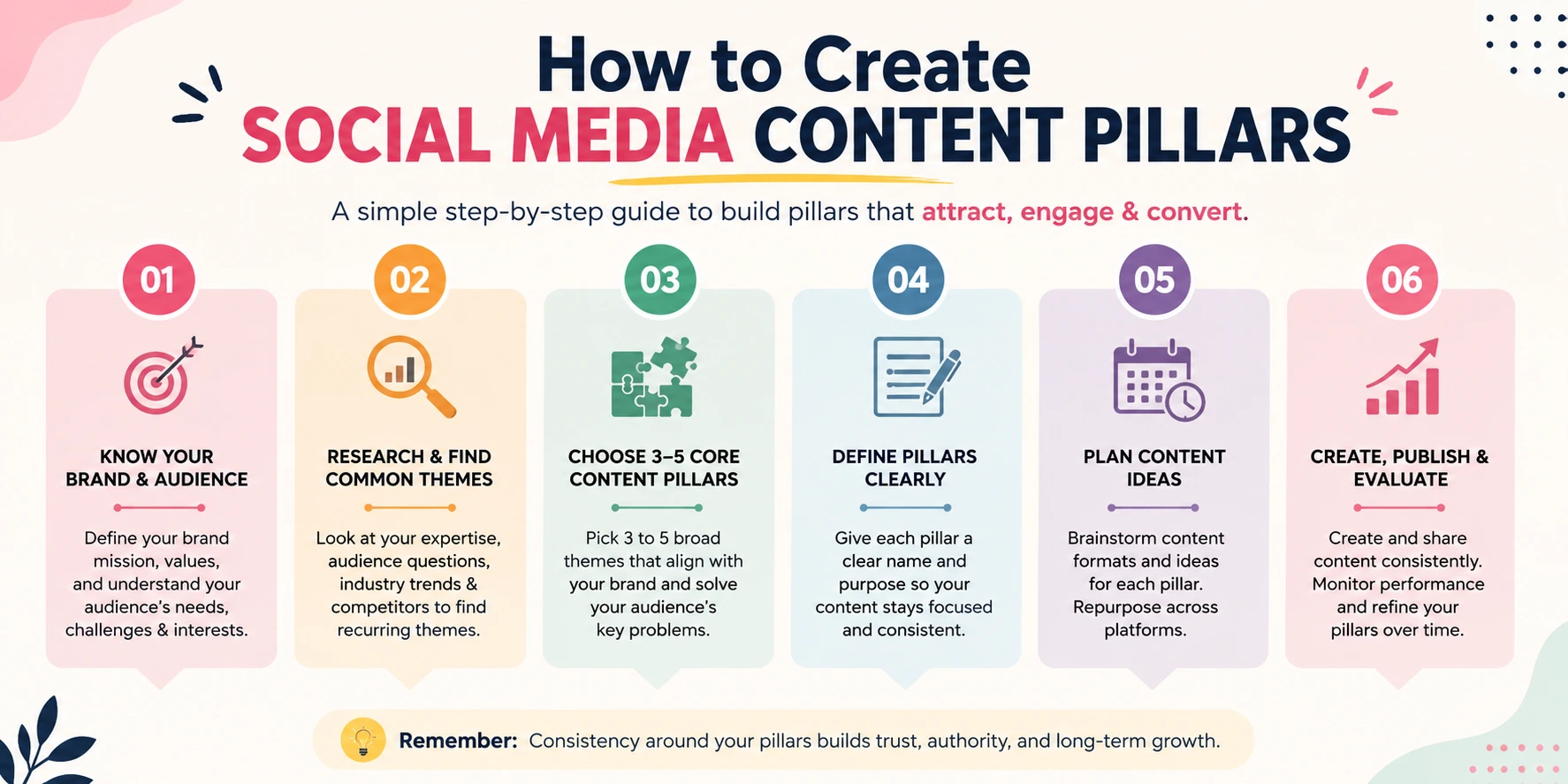
Content pillars are the recurring themes a business commits to covering, so ideas do not have to be invented from nothing every week. Each new post is a fresh angle on a theme already known to matter to the audience.A salon might build pillars around transformations, hair and skin education, client reviews, service explanations, and FAQs. A restaurant might use food, dining experience, events and offers, behind-the-scenes moments, and customer stories. An e-commerce store selling iPhone covers might use product education, style inspiration, protection, comparisons, and customer content. A digital marketing training institute might use practical skills, industry concepts explained simply, student outcomes, course details, and answers to common questions from prospective students.
Three to five pillars is usually enough. More than that, and it becomes hard to plan with any real depth. Pillars should reflect both what the business wants to be known for and what the audience actually searches for or asks about.
How to Find Social Media Content Ideas That Don't Run Out
Calendars run out of ideas within weeks when they are built from imagination rather than evidence. A more reliable source is the questions your audience is already asking: enquiries and messages; reviews, both compliments and complaints; the search terms people use to find businesses like yours; gaps topics your audience wants answered but rarely gets; sales conversations, since repeated objections are often untapped content; existing website content that can be broken into social posts; seasonal moments relevant to your business and location; and product education the small details customers do not know they need until someone explains them.A useful structure is: question, problem, content, action. Start with a real question a customer might ask, identify the hesitation behind it, build content that answers it clearly, and decide what you want the viewer to do next: visit the website, message on WhatsApp, save the post, or simply remember the brand.
A weak content idea answers "what should we post on Tuesday?" A strong one answers "which customer problem are we addressing on Tuesday, and what should the reader do afterward?" That second question is worth asking every time you plan.
How to Choose the Right Social Media Content Formats
Format should follow purpose rather than trend.| Format | Best used for | Why it works |
| Reels / short-form video | Demonstrations, transformations, quick tips | Shows movement or process a static image cannot |
| Carousels | Step-by-step education, comparisons, lists | Encourages the viewer to slow down and read |
| Stories | Timely updates, polls, behind-the-scenes | Low effort, good for frequent, casual touchpoints |
| Static images | Product shots, quotes, announcements | Quick to produce, suits a single, simple message |
| Long-form video | In-depth explanations, tutorials, interviews | Builds deeper trust and authority over time |
| Live content | Q&A, launches, real-time interaction | Creates a sense of access and immediacy |
| Testimonials/reviews | Builds trust before a purchase decision | Social proof carries more weight than brand claims |
| User-generated content | Showing real use of a product or service | Feels more credible than brand-produced content |
How to Build a Weekly Social Media Content Calendar
A weekly calendar is the most practical starting point, detailed enough to guide daily work without requiring the whole month to be finalised in advance.| Date | Platform | Goal | Content Pillar | Topic | Format | CTA | Status |
| Mon | Awareness | Education | 3 things to check before buying a case | Carousel | Save this post | Draft | |
| Tue | Enquiries | FAQs | Answering a common customer question | Story | Message us | Scheduled | |
| Wed | Trust | Customer content | Reposting a customer's photo | Story | Tag us | Published | |
| Fri | Conversion | Product | New arrival showcase | Reel | Shop now | Draft |
For businesses that rely heavily on direct enquiries, WhatsApp can also become part of the content-to-conversion journey. See our WhatsApp Business guide for salons for a practical example of using WhatsApp for bookings, reminders and customer communication.
How to Build a Monthly Social Media Content Calendar
A monthly view helps spot patterns, making sure the month is not accidentally dominated by promotional content or missing a pillar entirely. A simple structure is four loose weeks: week one leaning toward education or a new theme, week two into demonstrations, week three into trust-building content like reviews, and week four into a stronger conversion push or offer.This is a starting point, not a rule. A restaurant preparing for a festival weekend or a salon running a seasonal promotion should adjust the balance to match what the business actually needs that month.
30-Day Social Media Content Calendar Example
Here is how an Indian e-commerce store selling iPhone covers might structure part of a month across its five pillars: product education, style inspiration, protection, comparisons, and customer content. Only a representative sample is shown; the full month would follow the same logic.| Week | Topic | Pillar | Format | Platform |
| Week 1 | How to choose a slim protective case | Education | Carousel | |
| Week 1 | Clear vs designer cases: what to know | Comparison | Reel | |
| Week 2 | 3 things to check before buying a case | Education | Carousel | |
| Week 2 | How to choose a case that works with MagSafe | Education | Story + Reel | |
| Week 3 | Customer photos using the product | Customer content | Reel | |
| Week 3 | Behind the scenes of packaging and dispatch | Trust | Story | |
| Week 4 | Style edit: cases for different phone colours | Style inspiration | Carousel | |
| Week 4 | New arrival showcase | Product | Reel |
How to Create Content Calendars for Instagram, Facebook, LinkedIn and YouTube
Not every business needs every platform. Trying to maintain all of them with limited resources usually produces mediocre content everywhere instead of strong content somewhere.Instagram suits visually driven businesses salons, restaurants, e-commerce where a transformation or experience can be shown rather than explained. Facebook still holds value for local community reach and an audience less active on Instagram. LinkedIn suits B2B businesses and education providers where credibility matters more than visuals; a B2B software company in Bengaluru, for instance, might prioritise LinkedIn for educational content, use YouTube for product demonstrations, and treat the website as the actual conversion point. YouTube works well when a business needs longer explanations that a short video cannot cover.
The right choice depends on where your audience already spends attention and what your business model requires people to understand before they buy.
How to Repurpose One Content Idea Into Multiple Social Posts
Small teams rarely have the capacity to create entirely original content for every platform every week. Repurposing solves this without sacrificing quality. A single blog article on choosing a protective phone case can become an Instagram carousel, a Reel, a Story linking back to the article, a LinkedIn post if there is a business angle, a short YouTube video going deeper on one point, and a WhatsApp broadcast for interested customers.This is not about publishing the same thing everywhere; each format adapts to how people consume that platform, but the underlying idea and research only need to happen once. That is often the difference between a calendar a small team can sustain and one that collapses after a few busy weeks.
How Often Should a Small Business Post on Social Media?
There is no universal posting frequency, and any claim promising an exact number should be treated with caution. The right frequency depends on the resources actually available, how active the audience is on a given platform, what the platform tends to reward for that account's own history, how ambitious the goal is, and how sustainable the pace is over months rather than weeks.A business that maintains two genuinely useful posts a week, indefinitely, will generally outperform one that posts daily for three weeks and then disappears. Consistency over time matters more than raw frequency. Test different frequencies for your own account using your own analytics rather than adopting a number recommended for a different business.
How to Schedule and Organise Social Media Content
A sustainable process follows the same sequence: research, create, review, schedule, publish, engage, measure. Research draws from the idea sources covered earlier. Creation produces the asset. Review checks accuracy and quality before publishing. Scheduling places content into the calendar. Publishing is the moment it goes live. Engagement covers responding to comments and messages afterwards; it matters as much as the post itself. Measurement closes the loop by checking whether the post achieved its purpose.Scheduling tools such as Meta Business Suite can help manage the publishing step, but the tool is not the strategy. A well-organised spreadsheet used consistently will outperform an expensive tool used without a plan behind it.
How to Measure Whether Your Content Calendar Is Working
The right metric depends entirely on the goal defined at the start. A calendar built for awareness should not be judged by sales, and one built for sales should not be judged purely by reach.| Metric type | Examples | Best used when the goal is |
| Awareness | Reach, impressions, follower growth | Building visibility for a new business or offer |
| Engagement | Likes, comments, shares, saves | Understanding what content resonates |
| Traffic | Link clicks, website visits from social | Driving people to the website or a page |
| Leads | Enquiries, messages, form submissions | Generating appointments, quotes, consultations |
| Sales | Purchases, revenue attributed to social | Direct e-commerce or service conversions |
| Efficiency | Time spent producing content, cost per post | Assessing if the process is sustainable |
How to Improve Your Content Calendar Using Data
A calendar is never finished. Review it regularly using a simple framework: keep, stop, improve, test. Keep identifies what is consistently working. Stop identifies what clearly is not working after a fair trial, so time is not wasted repeating it. Improve looks at content with potential that has not been fully optimised a good idea where the format, timing, or caption needs adjustment. Test sets aside a small portion of the calendar, such as one post a week, to try something genuinely new. Reviewing performance against this framework once a month keeps the calendar evolving instead of running on habit.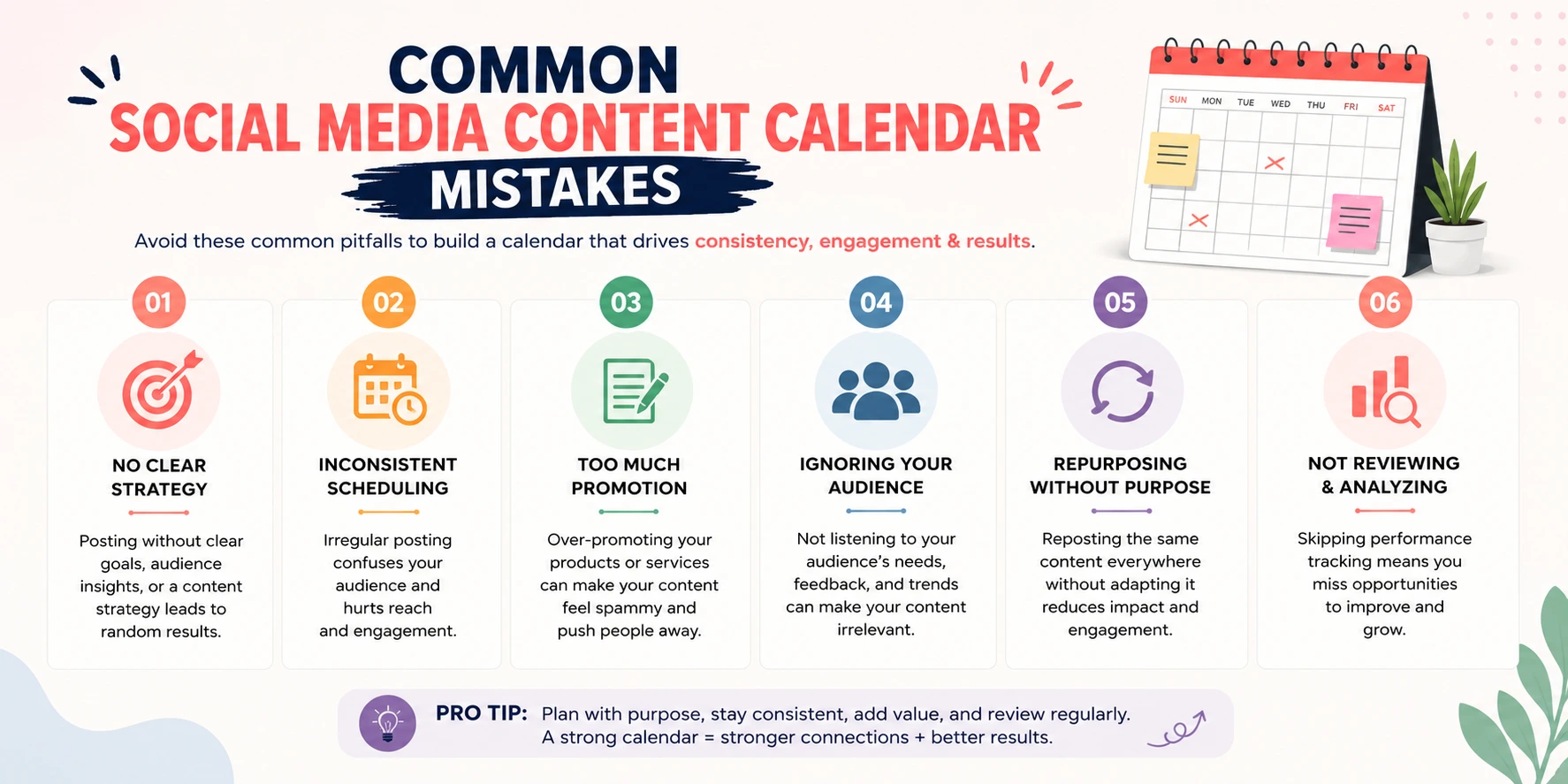
Common Social Media Content Calendar Mistakes
-
Building the calendar before defining goals, so content has nowhere strategic to plug into.
-
Posting simply to fill dates, rather than because a post genuinely serves the audience.
-
Making every post promotional, which reduces engagement and trust over time.
-
Copying what other businesses are doing without asking if it fits your audience.
-
Trying to maintain too many platforms at once, spreading resources too thin.
-
Creating an unrealistic schedule that cannot be sustained once a busy month arrives.
-
Ignoring the questions customers are already asking in favour of self-focused content.
-
Never reviewing analytics, so the same mistakes repeat month after month.
-
Chasing every new trend regardless of whether it fits the brand.
-
Failing to connect content back to a clear action or conversion point.
Social Media Content Calendar Template
The weekly structure covered earlier date, platform, goal, content pillar, topic, format, CTA, and status works as a reusable template for most small businesses. For ongoing production, add two columns: a caption field, so wording is drafted alongside the plan rather than at the last minute, and a performance field, so results get logged next to the post they belong to once the keep, stop, improve, test review happens each month.Keeping this in a shared spreadsheet, rather than scattered notes, is usually enough for a small team. The format matters far less than the discipline of filling it in consistently and reviewing it regularly.
Social Media Content Calendar Checklist
-
Business goal defined and written down.
-
Target audience and their common problems identified.
-
Three to five content pillars established.
-
Platforms chosen based on where the audience actually is.
-
A realistic posting frequency set based on available resources.
-
Content ideas sourced from real customer questions, not guesswork.
-
Formats chosen based on purpose rather than trend.
-
A weekly or monthly calendar built with clear CTAs.
-
A review process scheduled to check performance regularly.
-
A keep, stop, improve, test review built into the monthly routine.
Frequently Asked Questions
What is a social media content calendar?
A planning document that maps out what content a business will publish, on which platform, in what format, and when, connected back to a specific business goal.How do I create a social media content calendar?
Define your business goal and audience, build three to five content pillars, source ideas from real customer questions, choose formats based on purpose, and organise everything into a schedule you review regularly.What should be included in a social media content calendar?
At minimum, the date, platform, goal, content pillar, topic, format, and call to action. A caption field and a performance field make it more useful for ongoing production.How far in advance should social media content be planned?
Most small businesses find a one- to four-week window practical. Too far ahead can feel disconnected from current conversations; too little recreates the last-minute scramble a calendar is meant to prevent.How often should a small business post on social media?
There is no fixed number for every business. It depends on available resources, audience behaviour, and what can be sustained consistently over months, not just weeks.What are good social media content pillars?
Pillars should reflect what a business wants to be known for and what its audience actually asks about commonly: a mix of education, product or service information, trust-building content, and customer-focused content.What is the difference between a content calendar and a content strategy?
A strategy defines why a business is on social media and what it wants to achieve. A calendar schedules specific content into dates and platforms based on that strategy.How do I know whether my social media content calendar is working?
Measure performance against the specific goal the calendar was built for, and review it monthly using a framework like keep, stop, improve, test rather than judging individual posts in isolation.Conclusion
A social media content calendar that actually works is built in order: goal, audience, pillars, ideas, format, calendar, publish, measure, improve. Skip a step, and the calendar tends to fall apart within weeks, however well-designed the spreadsheet looks. Follow all of them, and it becomes a system that keeps producing relevant content, connects each post to a business outcome, and improves every month because it is reviewed rather than left on autopilot.If you want to build these skills further, including planning a full social media strategy, using WhatsApp Business for customer conversations, and turning content into measurable results, you can also enroll in a digital marketing course in Chandigarh.