
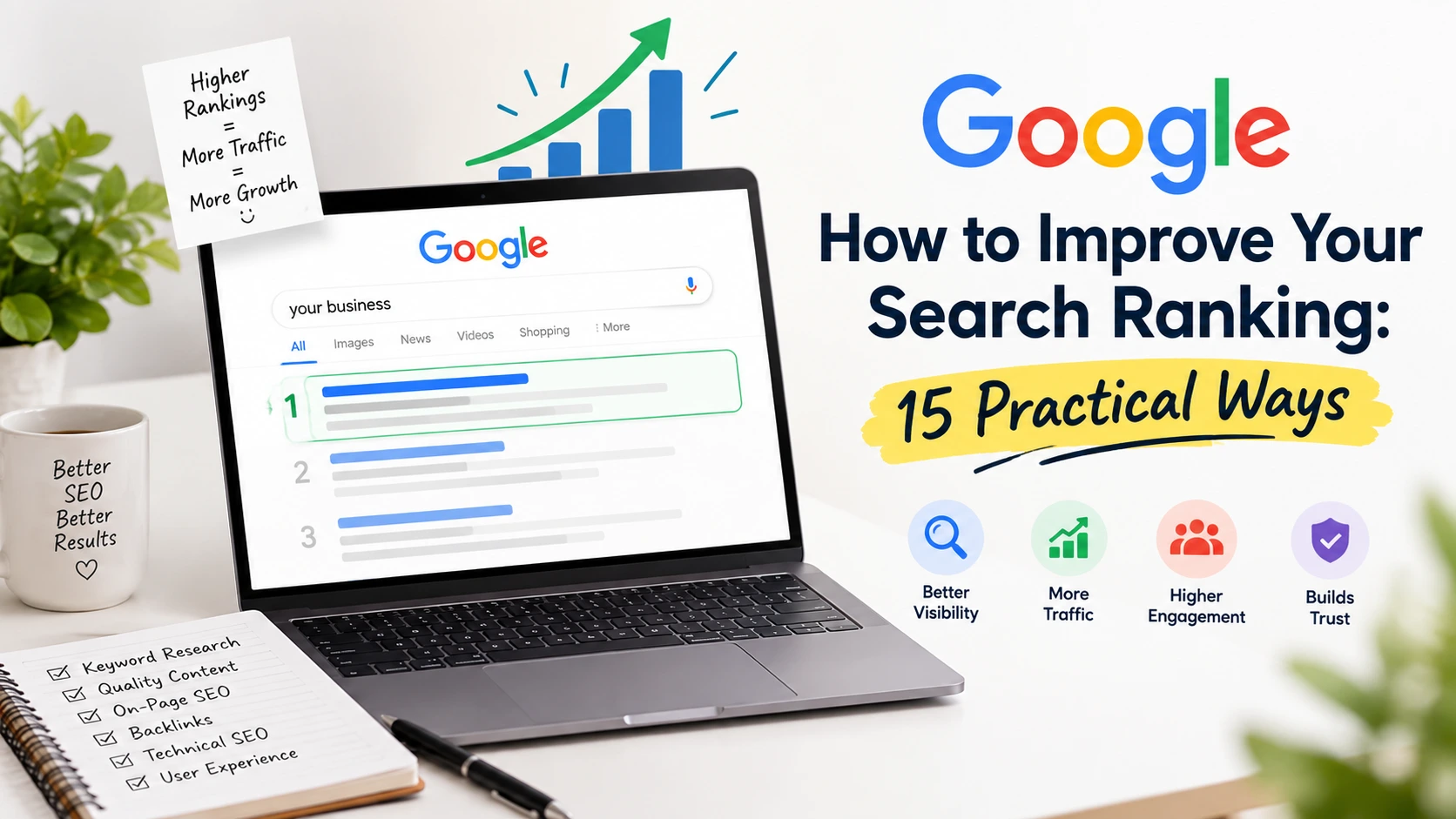
How to Improve Your Google Search Ranking: 15 Practical Ways
If you've published a page and watched it sit on page three of Google for months, you already know that ranking well isn't about luck or a single trick. It's several systems working together: what Google can find, what it can understand, what it decides is worth showing, and what people actually click once it's shown.
Think of search visibility as a journey a page has to complete: Discover → Crawl → Index → Understand → Rank → Click → Satisfy. A page can fail at any point. A technically flawless page nobody wants to click won't perform. A brilliantly written page Google can't crawl won't either. Improving your ranking means finding where a page is actually stuck, not applying every tactic at once and hoping something works.
That's the approach this guide takes. Instead of 15 disconnected tips, you'll work through a simple loop: Diagnose → Prioritise → Improve → Measure → Refine, applied to the areas that genuinely move rankings: search intent, content quality, technical accessibility, site structure, authority, and user experience. Where useful, you'll also see how priorities shift depending on whether you run an e-commerce store, a local service business, a blog, or an educational site like a training platform.
1. Match Your Content to Search Intent Before You Write Anything
Before deciding what to publish, look at what's already ranking for your target query. Google's results tell you what it believes the searcher wants: a definition, a comparison, a product listing, a local map pack, or a step-by-step guide. If the top ten results are all product category pages and you publish a long opinion essay, no amount of polishing will fix the mismatch.Search intent generally falls into four buckets: informational, commercial investigation, transactional, and navigational, with local intent layered on top for many service and retail searches. A query like "best accounting software" sits in commercial investigation; the searcher wants comparisons, not a sales pitch. A query like "accounting software free trial" is transactional; they're closer to buying.
Practical check: search your target keyword, look at the format, depth, and angle of the top five results, and only then decide whether you need a guide, a landing page, a comparison table, or a local page. Anyone building a broader marketing foundation can start with the basics of digital marketing fundamentals before layering on intent-specific SEO decisions.
2. Create People-First Content That Actually Answers the Query
Once intent is clear, the content itself has to deliver. Google's guidance on people-first content asks a simple question: would this page satisfy someone even if search engines didn't exist? That means original explanations rather than repackaged summaries, practical detail rather than padding, and complete coverage of the subtopics a reader would reasonably expect.Adding more words to a thin page rarely helps if those words don't add information. A 3,000-word article repeating the same three points in different phrasing will usually underperform a tighter 1,200-word article that answers every sub-question a reader has. Depth means covering a topic thoroughly, not stretching it.
Example: a digital marketing agency writing about "social media strategy" could restate generic advice, or walk through how to choose platforms based on audience behaviour, set a realistic posting cadence, and measure engagement the kind of specific detail that signals real understanding.
3. Improve Pages That Already Have Some Visibility Before Publishing New Ones
This is one of the most overlooked ranking levers. If a page already gets impressions in Google Search Console, Google has decided it's relevant enough to show it just isn't convincing enough to rank higher or get clicked. That's often a faster win than starting from zero.Look specifically at pages sitting in positions 11–30, pages with impressions but almost no clicks, pages with declining impressions, and pages ranking for queries you didn't intentionally target. Each pattern points to a different fix: content gaps, weak titles, intent mismatch, or content that's drifted out of relevance.
Decision rule: if a page already has impressions but hasn't cracked the top ten in several months, check content depth and internal links before creating a competing new page on the same topic. Publishing a second page often just splits relevance instead of adding it.
4. Target Relevant Keywords Without Forcing Them In
Keyword research still matters, but the goal is mapping the language and subtopics people actually use, not repeating one exact phrase. A page about "email marketing for small businesses" should naturally include related terms like subject lines, segmentation, automation, and open rates because those concepts are what a complete answer requires, not because a tool set a density target.Natural placement means the primary term shows up where it matters: the title, first paragraph, a subheading or two, while related terms and questions get woven into the body where they genuinely fit. Readers browsing the different types of digital marketing will notice pages that read like a knowledgeable explanation rather than a keyword checklist, and Google's systems are built to notice the same thing.
5. Improve Titles and Snippets to Earn More Clicks
Ranking and clicking are two different problems. A page can sit in position four and still underperform if the title doesn't tell searchers it's the answer they need. Titles should be accurate, specific, and aligned with the intent you identified in step one. A comparison query needs a title that signals comparison, not a generic brand-first title.Meta descriptions don't directly influence rankings, but they shape the snippet Google may display, which influences whether someone clicks. Write one that honestly previews the content rather than one stuffed with keywords for their own sake.
Diagnostic tie-in: if Search Console shows strong impressions but a low click-through rate for a query, that's usually a title or snippet problem, not a ranking problem. Fix the framing before touching anything else on the page.
6. Strengthen Internal Linking and Site Architecture
Internal links do two jobs: they help visitors find related information, and they help Google understand which pages you consider important and how topics relate. A page with no internal links pointing to it is an orphan page and is harder for Google to find and rarely signals importance.Build links with descriptive anchor text reflecting the destination page's topic, not generic phrases like "click here." Group related content into clusters, where a central hub page links out to supporting articles that link back to the hub. This is how topical authority builds over time: a well-organised content marketing hub tends to outperform scattered posts covering similar ground.
Example: a training institute with dozens of course pages could link them all from a central "courses" hub, with each course page linking back to related courses and relevant guides.
7. Make Sure Important Pages Can Actually Be Crawled and Indexed
Before assuming a content or authority problem, rule out the technical basics. There's a meaningful difference between three situations: Google can't crawl a page at all, Google can crawl it but chooses not to index it, and Google has indexed it, but it simply isn't competitive enough to rank. Each needs a different fix.Check robots.txt for accidental blocks, confirm important pages aren't set to noindex, submit an accurate XML sitemap, and use canonical tags correctly. Watch for redirect chains, 404s, and server errors on important URLs, and if your site relies heavily on JavaScript, confirm the content actually renders for crawlers.
Decision rule: if a page gets zero impressions in Search Console months after publishing, check indexing status with the URL Inspection tool before assuming it's a content quality problem; it may never have been indexed at all.
8. Improve Website Experience and Technical Performance
Page experience signals mobile usability, loading speed, visual stability, and the absence of intrusive interstitials support rankings, but chasing a perfect performance score is rarely the highest-leverage fix. A technically excellent page with mediocre content still won't outrank a genuinely better page with average load times.A slow, cluttered, or hard-to-navigate site does create real friction, though. Focus on the basics: reasonable load times on mobile, no unexpected layout shifts, readable text without zooming, and HTTPS. Treat this as removing obstacles, not chasing a leaderboard score.
9. Build a Clear, Logical Website Structure
Site structure affects both crawl efficiency and user trust. Descriptive URLs, sensible categories, and navigation that mirrors how visitors think about your topics all make a site easier to understand for people and for Google.A simple example: an e-commerce store selling kitchenware might organise by /cookware/, /bakeware/, and /kitchen-tools/, with each product nested under the right category and breadcrumbs showing the path back up, compared to a flat structure where every product sits off the homepage with no categorisation. The first communicates relationships between pages; the second leaves Google and visitors to guess.
10. Earn Relevant, Quality Backlinks
Links from relevant, credible sites remain one of the ways Google gauges authority, largely because genuine links are difficult to fake at scale. Original research, useful tools, expert commentary, and genuinely helpful resources tend to attract links naturally because other sites want to reference them.Avoid link schemes: paid links built to manipulate rankings, automated link-building services, irrelevant directory submissions, and excessive exact-match anchor text carry risk and rarely produce durable results. A handful of relevant links from sites in your actual industry typically outweighs a large volume of unrelated ones.
Businesses building a long-term organic presence often treat backlinks as one part of a broader search engine optimisation effort rather than a standalone tactic, since links without relevant content to support them rarely hold up.
11. Refresh Content That Has Lost Search Visibility
Content decay is normal. Information goes out of date, competitors publish more complete resources, and search demand shifts. The fix isn't changing the publish date to make a page look new; it's identifying what actually needs updating and doing that work.Use Search Console to spot pages with declining impressions or clicks over several months, then check the page for outdated statistics, broken links, missing subtopics competitors now cover, or a search intent that's shifted since you first published. Update the substance first; let the date change reflect real editorial work, not a cosmetic edit.
Decision rule: if a previously strong page shows a steady, gradual decline rather than a sudden drop, investigate content freshness and competitive coverage first; a sudden drop points toward a technical or SERP-level cause instead.
12. Optimise Images and Supporting Media
Images should help readers understand the page, not just decorate it. Diagrams that clarify a process, screenshots of an actual interface, and original photos add genuine value that generic stock imagery usually doesn't.Use descriptive filenames and alt text that accurately describe the image (this also supports accessibility), compress images so they don't slow the page down, and use modern formats where your platform supports them. Alt text should describe what's actually in the image, not repeat a target keyword for its own sake.
13. Optimise for Local Search When You Serve a Local Audience
Local search runs on a different set of signals than general organic search, and treating them identically usually underperforms. According to Google's own guidance on local ranking, local results are influenced primarily by relevance, distance, and prominence: how well a business matches what someone is searching for, how close it is to the searcher or their specified area, and how well-known the business is based on information Google has across the web.For any business with a physical location or a defined service area, that means keeping your Google Business Profile accurate and complete: correct categories, consistent business information, genuine photos, and a habit of responding to reviews. None of that guarantees a top local ranking, but an incomplete or inconsistent profile makes it harder to compete regardless of how strong the rest of the site is.
Example: a local plumber optimising purely for broad organic keywords like "plumbing tips" will likely see far less business impact than one who optimises their Business Profile and creates location-specific service pages for the areas they actually cover.
14. Strengthen Trust and Demonstrate Real Expertise
Google's quality guidance describes experience, expertise, authoritativeness, and trustworthiness as qualities its systems try to reward indirectly through signals like accuracy, clear sourcing, and genuine usefulness rather than as a single measurable ranking factor. Framed that way, the practical work is straightforward: be accurate, be clear about who's behind the content, cite credible sources, and keep contact and business information easy to find.Firsthand experience matters where it's genuinely relevant: a hands-on product review, a documented process, a real methodology, but it shouldn't be fabricated where it doesn't exist. If your industry has shifted (search behaviour itself is a good example, as covered in how AI search compares to traditional Google search), updating your content to reflect that change is itself a trust signal.
15. Measure, Prioritise, and Treat SEO as an Ongoing Process
None of the previous fourteen points matters if you can't tell whether they worked. Google Search Console is the primary tool: track impressions, clicks, average position, and click-through rate by query and by landing page, and pair that with Google Analytics where you need to see what happens after the click: engagement, conversions, or goal completions.A few interpretation patterns are useful starting points, not guarantees:
| What you're seeing | What to investigate first |
| No impressions at all | Indexing status, targeting, actual search demand |
| Impressions but very few clicks | Title, snippet, and search intent alignment |
| Stuck in positions 11–30 | Content depth, internal links, topical authority |
| Sudden, sharp traffic decline | Recent technical changes, indexing issues, SERP changes |
| Indexed but barely visible | Relevance, competition strength, content quality |
| Traffic rising but conversions flat | Landing page experience and calls to action |
What Should I Fix First?
When several issues exist at once, work in this order:Priority 1 — Visibility blockers. Noindex tags on important pages, crawl errors, broken canonicals, and pages that are technically inaccessible. None of your other work matters if Google can't see the page.
Priority 2 — Relevance and intent problems. Pages that are indexed but mismatched to what searchers actually want, thin coverage of a topic, or missing subtopics competitors cover.
Priority 3 — Authority and click-through gaps. Weak titles, a lack of relevant internal links, and limited backlink profiles. These matter, but they're most effective once the page itself is technically sound and genuinely useful.
A Practical Improvement Workflow
-
Check Google Search Console for the page or query in question.
-
Identify whether it already has some visibility (impressions) or none at all.
-
Determine which category the problem falls into: indexing, ranking, click-through, relevance, or authority.
-
Prioritise the single highest-impact issue using the framework above.
-
Make one focused improvement.
-
Monitor performance over several weeks; rankings rarely shift overnight.
-
Repeat the loop, treating each cycle as new information rather than a one-time project.
Google Search Ranking Improvement Checklist
-
Confirmed the page matches the actual search intent behind the target query
-
Content is original, complete, and free of filler
-
Reviewed existing pages with impressions before publishing new ones
-
Keywords and related terms appear naturally, without stuffing
-
Title and meta description accurately reflect the content and intent
-
Important pages are linked internally with descriptive anchor text
-
Confirmed pages are crawlable, indexable, and free of technical errors
-
Site loads reasonably fast and works well on mobile
-
URL structure and navigation are logical and consistent
-
Backlink efforts focus on relevant, earned links
-
Older content is reviewed periodically for accuracy and completeness
-
Images include descriptive alt text and are properly compressed
-
Google Business Profile is accurate and complete, if relevant
-
Author, business, and contact information are clear and accurate
-
Search Console data is reviewed regularly to guide the next change
If you want to learn how to plan, launch, and optimise Google Ads campaigns properly, alongside other practical digital marketing skills, Digital Study School offers a Digital Marketing Course in Chandigarh, where you learn in-demand skills.