
Why Is My Website Not Getting Traffic? 15 Reasons & How to Fix Them
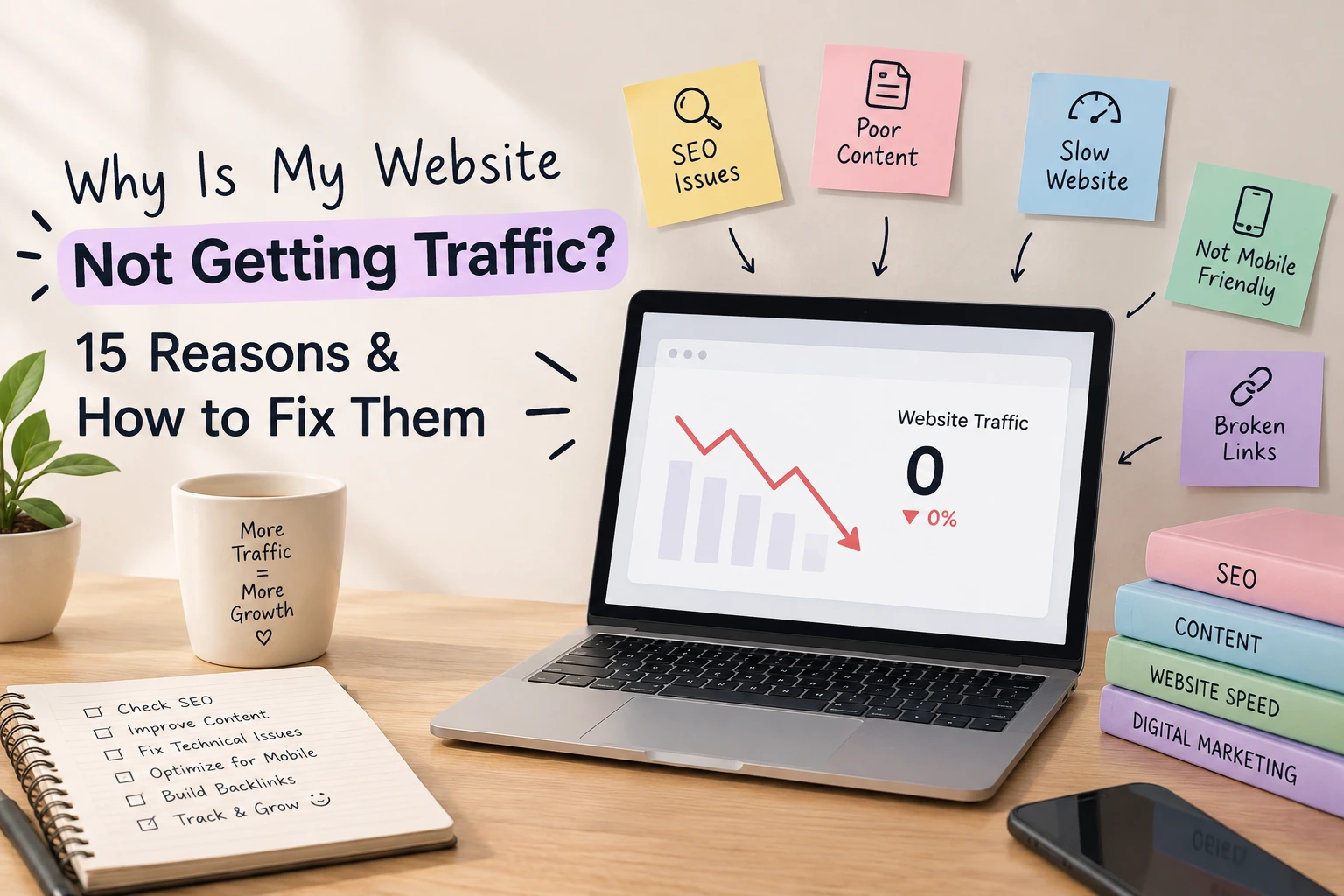
If you're asking why your website is not getting traffic, the honest answer is that it depends on exactly where the process is breaking down. Low traffic rarely means "bad SEO" in some vague sense; it usually means one specific link in the chain between "your page exists" and "someone reads it" isn't working yet. That chain could be broken by a tracking issue, an indexing problem, weak keyword targeting, a mismatch with search intent, thin content, poor click-through rates, technical errors, or a lack of topical authority and backlinks. Often it's more than one of these at once.
Before you publish another article or redesign your homepage, spend fifteen minutes diagnosing the actual problem. Guessing wastes time. Diagnosing tells you exactly what to fix, and in what order.
First, Understand What "No Traffic" Actually Means
Not all "no traffic" problems are the same problem; the pattern in your data points to a different bottleneck.| What you see | What it may indicate | First thing to check |
| Zero impressions in Search Console | Pages aren't discovered or indexed | Indexing report, sitemap |
| Impressions but almost no clicks | Weak titles or a low average position | Title tags, position data |
| You rank, but traffic is still tiny | Low search demand or wrong intent match | Keyword volume, SERP intent |
| Traffic dropped suddenly | Technical break, algorithm shift, lost link | Compare before/after dates |
| One page gets almost all the traffic | Content isn't spread across the topic | Internal linking, topic coverage |
| Pages are indexed but invisible | Competition is outranking you | Position tracking, content depth |
| You get traffic, but not from Google | Referral, social, or direct traffic dominates | Traffic source breakdown in GA |
Check These 5 Things Before Changing Your SEO
Before touching your keyword strategy, confirm the basics.1. Google Search Console. Check Performance, Queries, Impressions, Clicks, and Average Position, then the Pages and Indexing reports for coverage issues. Glance at Manual Actions and Security Issues too; a flag there matters more than anything else.
2. Google Analytics. Confirm your tracking code is installed correctly and firing on every page before assuming the traffic problem is an SEO problem. A broken tag can look exactly like zero traffic.
3. Indexing of important URLs. Spot-check key pages individually with URL Inspection rather than assuming site-wide indexing is fine.
4. Sitemap and robots.txt. Make sure your sitemap lists the pages you want found, and robots.txt isn't accidentally blocking sections of the site. Neither will make a weak page rank, but a broken one can stop a strong page from being seen at all.
5. Website age and history. A newer site typically needs time to build visibility and topical authority. There's no fixed waiting period, but consistent, focused work matters more early on than it will later.
If you want a structured way to learn this, DSS's search engine optimization program walks through diagnostics like these hands-on.
15 Reasons Your Website Is Not Getting Traffic
Every reason below can be understood through the same lens: Discover → Crawl → Index → Rank → Click → Satisfy. A page has to be discoverable, then crawlable, then indexed, then competitive enough to rank, then compelling enough to be clicked, and finally good enough to satisfy the person who clicked. Traffic problems usually trace back to one specific stage in that chain.1. Your Important Pages Are Not Indexed
A page that isn't indexed can't appear in search results, no matter how good it is. This usually traces to an accidental noindex tag, a canonical pointing to the wrong URL, or a page Google hasn't gotten to yet. Check URL Inspection for each important page: "Discovered not indexed" or "Crawled not indexed" can signal a technical issue or a content-quality one. Requesting indexing manually can help, but it doesn't guarantee anything.2. Search Engines Cannot Crawl Important Pages Properly
Crawling and indexing aren't the same thing; a page must be crawled before it's considered for the index. Broken internal links, redirect chains, server errors, and a robots.txt file blocking key folders all interfere with crawling, as do orphan pages and JavaScript-heavy pages that render slowly. Check crawl stats and coverage reports in Search Console, then fix broken paths so every important page stays reachable.3. You're Targeting Keywords With Little Relevant Search Demand
A keyword can be perfectly relevant to your business and still generate almost no traffic if barely anyone searches it. This isn't about chasing volume; high-volume terms aren't automatically better if they don't match what you offer. A local bakery targeting "cake" competes with national brands, while "custom birthday cakes in [city]" has less volume but far more relevant demand. Check for real search demand before building content around a term.4. Your Keywords Are Too Competitive for Your Website's Current Authority
Even relevant, high-demand keywords won't produce traffic if your site isn't competitive enough to rank for them. A new site targeting broad, generic terms competes against pages with years of backlinks and depth. Prioritise long-tail, specific-intent queries first, realistic to win now, and they build the foundation broader terms later require.5. Your Content Does Not Match Search Intent
A keyword can be right and the content behind it still wrong for what searchers want. "How does SEO work" wants an explanation, not a sales page. "SEO services near me" wants a service page, not a blog post. If your content type doesn't match whether the intent is informational, commercial, transactional, or navigational, it won't hold attention even if it briefly ranks. Check what's currently ranking; the format tells you the intent Google has already assigned the query.6. Your Pages Rank Too Low to Generate Meaningful Traffic
There's a real difference between indexed, ranking, visible, and clicked. A page technically "ranking" at position 40 still generates almost no traffic, because clicks concentrate on page one. Check average position for priority queries. If you're stuck on page two or three, the fix usually isn't technical; it's content depth, internal links, and authority, built one competitive step at a time.7. Your Search Result Title and Snippet Aren't Compelling Enough
Ranking gets you visibility; the title and description decide whether anyone acts on it. A vague, generic title next to specific, benefit-led competitors loses clicks even from a good position. Compare yours against what's currently ranking; is it clearer about what the page offers? Rewrite for clarity, and avoid clickbait that doesn't match the page; misleading titles hurt engagement more than they help.8. Your Content Is Too Thin, Generic, or Interchangeable
Word count isn't the issue; interchangeability is. If your page reads like ten others ranking for the same query, there's no reason to outrank them. Depth means completeness, accuracy, original examples, and useful detail a reader can't get from the first result. Before adding more words, ask whether the page answers every reasonable follow-up question, and whether it says anything the top-ranking pages don't already say.9. Your Website Lacks Topical Authority
Search engines reward sites that demonstrate comprehensive coverage of a subject, not isolated pages that happen to rank. A pillar page on "SEO for small businesses," supported by linked articles on keyword research and technical SEO, signals a depth a single post never can. Scattered posts with no internal connections mean starting over with every new page instead of building on the last. DSS's guide to content marketing covers structuring content around a topic, not a single keyword.10. Your Internal Linking Is Weak
Internal links tell search engines which pages matter and help visitors find more of your content. Orphan pages with no internal links are hard to find and rarely rank well. Audit for pages with minimal internal links, then add contextual links from relevant content using descriptive anchor text rather than "click here." Navigation links matter, but contextual links inside body content carry more topical signal.11. Technical SEO Problems Are Blocking Search Visibility
Beyond crawling and indexing, a handful of technical issues quietly cap visibility: redirect chains, duplicate URLs without proper canonicals, 404 errors on pages that still receive links, poor mobile usability, and Core Web Vitals problems. Audit for the ones affecting your priority pages, fix those first, and skip treating every minor warning as equally urgent.12. Your Website Hasn't Built Enough Authority
Backlinks from relevant, credible sites remain one of the strongest trust signals search engines use. Few external sites linking to yours puts you at a structural disadvantage. Build authority through digital PR, genuine industry relationships, and content worth citing, not spam directories or purchased links, which risk penalties. Quality and relevance matter far more than raw link count.13. You're Publishing Content Without a Clear Topical Strategy
Publishing consistently is good; publishing randomly isn't the same thing. A site with fifty unrelated posts often has less topical authority than one with fifteen organised around a clear pillar-and-cluster structure. Before your next piece, check it against existing content: does it support a pillar, fill a gap, or sit disconnected from everything else? More content without a strategy usually means more pages competing for scraps of attention.14. Your Existing Content Has Become Outdated or Lost Its Competitive Edge
Content that ranked well a year or two ago can decay as facts age, competitors publish stronger pages, or intent shifts. Declining impressions on a page that used to perform is worth investigating. Depending on what you find, update sections, consolidate competing pages, redirect a page no longer worth maintaining, or leave a stable performer alone.15. You're Not Using Data to Diagnose the Problem
This is the reason underneath most of the other fourteen. Search Console shows what's indexed and how you're performing. Analytics shows what visitors do once they arrive. Keyword and competitor data show whether your targets are realistic. Together, these almost always point to a specific bottleneck. Don't guess. Diagnose first.The 15-Minute Website Traffic Diagnosis
A fast way to find your biggest bottleneck instead of guessing:Minutes 1–3: Check whether your most important pages are indexed via URL Inspection.
Minutes 4–6: Review Search Console impressions and clicks over the last three months.
Minutes 7–8: Check your average position for priority queries: page one, two, or further back?
Minutes 9–10: Review CTR for top queries and compare titles against what's currently ranking.
Minutes 11–12: Scan Indexing and Core Web Vitals reports for warnings on important pages.
Minutes 13–14: Check internal links to priority pages and whether content connects into topic clusters.
Minute 15: Identify the single biggest bottleneck and choose one priority fix.
Fix the bottleneck before creating more work.
Quick Diagnostic Reference
| If you see this | The likely bottleneck | What to investigate next |
| No impressions | Discovery, indexing, or targeting | Search Console + indexing status |
| Impressions but almost no clicks | CTR or ranking position | Titles, positions, and intent match |
| Rankings stuck around page 2–3 | Relevance, authority, or depth | Content quality + internal links + backlinks |
| Sudden traffic decline | Technical, content, or SERP changes | Compare dates against affected queries |
| Indexed but barely visible | Competition or weak relevance | Search intent + content depth |
| One page gets most of the traffic | Weak content distribution | Topic clusters + internal linking |
| Traffic but no leads | Conversion, not visibility | Offer clarity, page UX, and calls to action |
When Publishing More Content Will NOT Fix Your Traffic Problem
More articles won't fix a noindex tag, a crawlability block, or keywords with no real search demand. They won't fix content that doesn't match search intent, a technical error keeping pages out of the index, weak internal architecture, or an authority gap only backlinks can close, and they won't fix pages quietly cannibalising each other. Adding volume just piles more pages on the same broken foundation. Diagnose first. Publish second.What Should You Fix First?
Once you know your bottleneck, prioritise roughly in this order; your own data may reorder it:-
Visibility blockers — indexing, crawlability, server errors. Nothing else matters until search engines can see your pages.
-
Search targeting — keyword relevance, demand, and intent match.
-
Content quality — depth, usefulness, originality, accuracy.
-
Site architecture — internal linking and topical structure.
-
Authority — relevant backlinks and industry mentions.
-
CTR — titles and snippets that earn clicks you've already ranked for.
-
Continuous improvement — ongoing monitoring and refreshing.
How to Know Whether Your Website Traffic Is Improving
Track progress through one chain: Impressions → Rankings → Clicks → Organic Sessions → Engaged Visits → Leads/Conversions.Impressions and rankings measure visibility whether search engines show your pages at all. Clicks and organic sessions measure whether people actually reach your site. Engaged visits and conversions measure whether the site delivers on what got them there. Improvement early in the chain with no movement further down usually points to a business or UX problem, not a traffic problem.
How the Diagnosis Changes Across Search Environments
The core framework discover, crawl, index, rank, click, satisfy holds across Google, Bing, local search, and AI-powered search experiences like ChatGPT, Gemini, and Perplexity, but the details shift. Local and Maps visibility depends heavily on your Google Business Profile and location relevance rather than organic ranking alone. Traditional organic results and AI-generated answers are related but not identical. AI systems favour clear definitions, direct answers, and verifiable expertise, largely the same bar good SEO already asks for. Understanding both AI search and traditional Google search is increasingly part of a complete SEO skill set, alongside the basics covered in DSS's guide to digital marketing strategy.Frequently Asked Questions
Why is my website not getting traffic?
Usually the problem falls into one of six stages: discovery, crawling, indexing, ranking, clicking, or search-intent satisfaction. Diagnosing which stage is broken tells you what to fix.Why is my new website not getting traffic?
New sites need time to build authority and get fully indexed. There's no fixed waiting period, but consistent publishing and solid technical health matter more early on than any single tactic.Why is my website not getting organic traffic specifically?
If you get traffic from other sources but not search, check indexing status first, then keyword targeting and intent match.Why is my website indexed but getting no traffic?
Indexed only means eligible to appear, not ranking well enough to be seen. Check average position and compare content depth and backlinks against what's currently ranking.How long does it take for a website to get traffic from Google?
This varies by competition, niche, and authority, with no guaranteed timeline. Focus on consistent progress in impressions and rankings.Can a website rank on Google and still get no traffic?
Yes. Ranking at position 40 for a competitive term, or ranking well for a keyword almost nobody searches, both produce very little traffic.Should I publish more content if my website is not getting traffic?
Only after ruling out indexing, crawling, technical, and intent-match problems, more content on a broken foundation rarely helps.How can I check where my website's traffic problem is coming from?
Start with Search Console for indexing, impressions, and rankings, then Analytics for what visitors do once they arrive.Where to Go From Here
Fixing a traffic problem is rarely about one big change; it's about identifying which link in the discover-to-satisfy chain is broken and fixing that before moving to the next. If you want to build these diagnostic and strategic skills properly rather than piecing them together from scattered advice, DSS's search engine optimization training and broader digital marketing programs are built around exactly this kind of hands-on problem-solving.